
Content marketing has become way more effective as new tools make it easier for marketers to track what’s working and what’s not. Analytics and reporting are pretty important if you want to see real results from your content strategies. I’m breaking down how to use some top content marketing tools to help you get a grip on your data and make improvements you can actually see.
Why Performance Optimization Matters in Content Marketing
Good content helps you reach your audience and bring value, but the best results come from tracking how all that content actually performs. If you’re not measuring pageviews, user engagement, or conversions, it’s easy to lose sight of what’s working. That’s where using analytics and reporting tools makes a big difference. With the right tools, you can set clear goals, spot issues quickly, and make smart decisions that drive growth.
More businesses are taking content marketing seriously, with research from Content Marketing Institute saying 67% of marketers use in-depth analytics to measure performance. That number goes up every year as brands look for more ways to increase their return on investment through data.
Tools for content marketing aren’t just about tracking vanity metrics like pageviews. Now, you can monitor everything from user journeys to which blogs lead to actual sales. Tools like Google Analytics 4, SEMrush, and HubSpot Content Hub are just a few examples. Each helps marketers get more out of their efforts by providing real-time analytics, helping you adjust your strategy before problems snowball.
Getting Started: Picking Your First Content Marketing Analytics Tools
If you’re new to the world of content analytics, the range of options might look pretty overwhelming. The trick is to start with a tool that’s easy to use and gives you the basics, and then build from there. For most people, Google Analytics is a great place to start because it’s free and integrates with most websites. Other tools like SEMrush or Moz can help you track keyword rankings and see how your content stacks up against competitors.
Here are a few key terms I always explain to beginners:
- Unique Visitors: Tracks the number of individual users visiting your site in a given period.
- Bounce Rate: Shows the percentage of people who leave your website after seeing just one page.
- Conversion Rate: The percentage of visitors who complete a desired action, like filling out a form or signing up for a newsletter.
- Traffic Sources: Lets you see where your audience comes from, like search engines, referrals, or social media.
Getting familiar with these gives you a quick overview of overall content performance and helps you see trends as they happen. These metrics are the building blocks you’ll use as you level up your content marketing game.
Step-by-Step Guide: Using Content Marketing Tools for Better Analytics
Getting actionable data out of your content requires a few practical steps. Here’s my process for making content analytics work every day:
- Install and Set Up Your Tools: Use Google Analytics or another platform, and connect it to your content management system. Follow the onboarding instructions to start collecting data immediately.
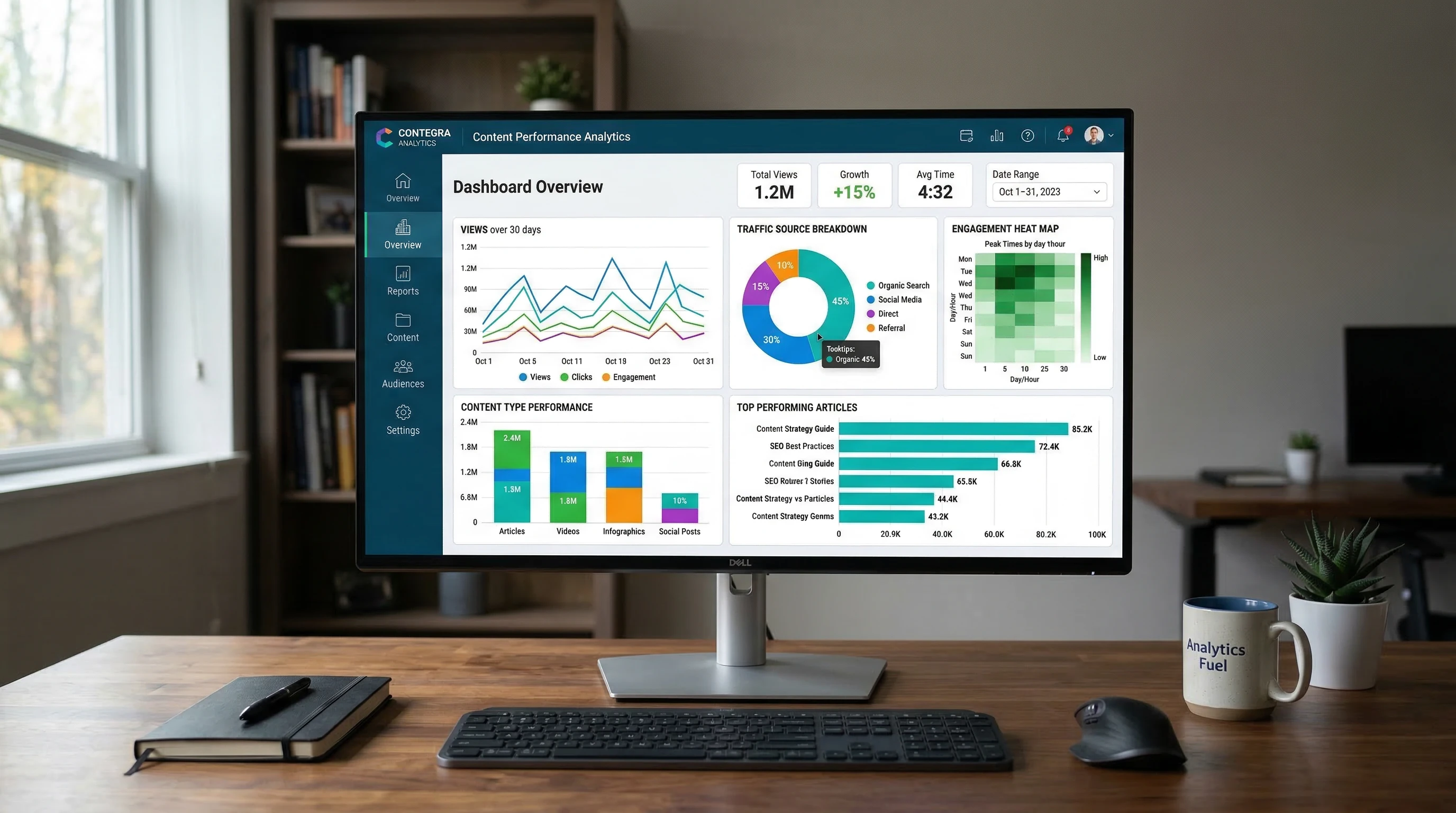
- Create Performance Dashboards: Most platforms let you build custom dashboards. I like to track metrics like pageviews, average session duration, and goal completions in one place.
- Monitor Content-Specific Metrics: Track time on page, scroll depth, and social shares for each piece of content. This helps you spot high performing pieces that bring in consistent traffic.
- Set Up Reporting and Alerts: Schedule weekly or monthly reports. I also create alerts for sudden drops in traffic or bounce rate spikes, so I’m not caught off guard.
- Analyze and Adjust: Look at what’s working, what’s not, and make adjustments. Maybe you need to update an old blog post, or double down on a topic that’s getting a lot of shares.
This cycle of monitoring and tweaking is what gets results and helps you improve over time. After seeing which strategies work best, you can apply those insights to future campaigns, saving both time and effort.
Common Challenges and How to Tackle Them
Even with the right tools, you might hit a few bumps along the way. Here are a few common challenges I’ve seen, plus some ways to make things easier:
- Data Overload: Too much data can actually be confusing. Focus on a handful of metrics that really show how your content is performing.
- Attribution Issues: Sometimes, it’s hard to tell which blog post or campaign led to a sale. Using UTM tracking codes can help you see exact user paths.
- Integrating Tools: Different teams might use separate platforms, which can make your data messy. Try using tools that offer integrations or export data into a single spreadsheet for easier analysis.
- Tracking Offline Success: If you have content running alongside events or in-store promotions, use custom URLs or QR codes to measure engagement.
Even as you work through these challenges, remember that making mistakes is part of the process. Use these hurdles as learning opportunities to further boost your skills and outcomes.
Handling Data Overload
I know it’s easy to get lost in endless charts. I stick to tracking just three or four main metrics, usually pageviews, average time on page, conversion rate, and goal completions. These give a clear snapshot of site health without overwhelming anyone on your team. If you ever feel stuck, consider creating a spreadsheet with just your top stats for a quick weekly review.
Fixing Attribution Headaches
When sales or conversions come from multiple touchpoints, I use multichannel funnels in Google Analytics. Also, setting up campaigns with specific UTM tags lets you see exactly which blog, webinar, or ad drove results. This way, you can make more targeted adjustments to your marketing efforts.
Making Integrations Simple
One tool won’t do everything, but Zapier or built in integrations in platforms like HubSpot and SEMrush usually solve most headaches. They’re worth checking out if pulling data from multiple places slows you down. With these integrations, you ensure smooth workflow and more reliable reporting.
Advanced Tips: Digging Deeper into Analytics and Reporting
Once you’re comfortable tracking basic stats, it’s worth moving on to extra features that give additional value:
Use Content Grouping: Group similar blogs or pages together in your analytics tool to see which topics perform best as a group. This shows which subject areas hit home with your audience and reveals new opportunities for content ideas.
Monitor Engagement Metrics: Tools like Hotjar or Crazy Egg give heatmaps and session recordings. Seeing where visitors click or where they drop off is helpful for tweaking content layouts. Over time, you’ll spot trends that help further boost your strategy.
Run AB Tests: Try different headlines, images, or calls to action, then measure which version pulls in better engagement. Over several tests, patterns emerge that can guide bigger changes throughout your site.
Automate Reports: A lot of tools let you send out weekly or monthly PDFs or dashboards via email. I set this up for clients and teams so everyone stays on the same page. These regular updates help catch issues before they escalate.
Continually checking out these advanced analytics features gives you a wider lens for evaluating content performance and improving your marketing approach.
Best Content Marketing Tools for Analytics and Reporting
I’ve spent years testing different platforms, and these are a few that stand out for analytics and reporting:
- Google Analytics 4: The most common tool, and it covers pretty much everything a beginner or pro needs for website tracking.
- SEMrush: Great for seeing how your content ranks on search engines, tracking keywords, and keeping an eye on competitors.
- HubSpot Content Hub: Offers tracking, analytics, and even recommendations on how to boost your results across multiple channels.
- BuzzSumo: Perfect for content research, tracking social shares, and seeing what’s trending in your space.
- Hotjar: Adds heatmaps and user recordings so you can see how real people interact with your content.
Each of these has its strengths, whether you’re focusing on SEO, user engagement, or lead tracking. Most have free versions or trials, so you can mix and match before committing to anything paid. Take some time to experiment and find the perfect blend for your specific needs.
If you’re a business owner or a marketing manager, having access to more than one analytics platform helps you cross check results and make sure you’re making decisions backed by accurate data. Don’t hesitate to test a couple of different tools until you stumble upon the right setup for your goals.
Real-World Scenarios: Content Analytics in Action
Here’s how analytics tools make a difference in everyday marketing:
- Blog Posts: I use analytics to see which blogs keep visitors around the longest or drive the most sign ups. If a post has a high bounce rate, I’ll tweak the intro or add stronger calls to action to keep readers engaged.
- Landing Pages: By tracking conversions and time on page, I know which layouts and headlines drive action, helping boost sign ups or purchases. Small changes, like a new photo or shorter form, can have a big impact.
- Email Campaigns: Analytics show clicks and conversions for each email. If open rates drop, I experiment with subject lines and send times, then watch the data for improvements. Even changing the sender name can sometimes make a huge difference.
- Video Content: Platforms like YouTube Analytics give audience retention rates, showing which parts of videos keep viewers engaged or where they bail out. This insight helps you refine everything from your script to your editing style.
By monitoring these different content types with analytics, you can continually improve your digital marketing strategy. It’s all about learning from the numbers and never being afraid to switch things up if something isn’t working.
Frequently Asked Questions
These are some questions new content marketers usually ask when looking to optimize with analytics tools:
Question: What’s the simplest way to start tracking content performance?
Answer: Connect Google Analytics to your website, familiarize yourself with a few core metrics, and review your data weekly for trends. Spreading out the habit of checking your numbers consistently will give you better long-term results.
Question: How do I know which topics are resonating with my audience?
Answer: Use content grouping in your analytics tool, monitor engagement stats, and track social shares or comments on each piece of content. Comparing these numbers helps you see which subjects spark real interest and discussion.
Question: How often should I report on content marketing performance?
Answer: Weekly checks are useful for spotting quick issues, but a thorough monthly report gives enough data for more meaningful decisions. If you’re working in a team, regular updates even encourage brainstorming for new campaigns.
Takeaway: Getting the Most from Your Content Data
Optimizing content marketing with analytics and reporting tools puts you in control of your results. Picking easy to use tools and building good habits for checking your data helps you quickly see what works and what needs a revamp. The best improvements come from trying new things and paying attention to how your content performs over time. With an ongoing commitment to tracking, you’ll catch new opportunities before your competitors do.
Keep playing with different reports and dashboards until you find the mix that makes sense for you. Smart use of analytics means every blog, video, or landing page can help you hit your goals, and you’ll spend less time guessing about what comes next. Let your numbers be the guide as you build a content strategy that gets real results.