
Retargeting in digital marketing is a pretty handy approach if you’re missing out on customers who almost made a purchase or engaged but wandered off before checking out. It’s almost always easier to re-engage someone who already knows your site than to find totally new people. I’m going to break down how retargeting works and share some really practical tips to get more of those “lost” folks back on track.
What Exactly Is Retargeting?
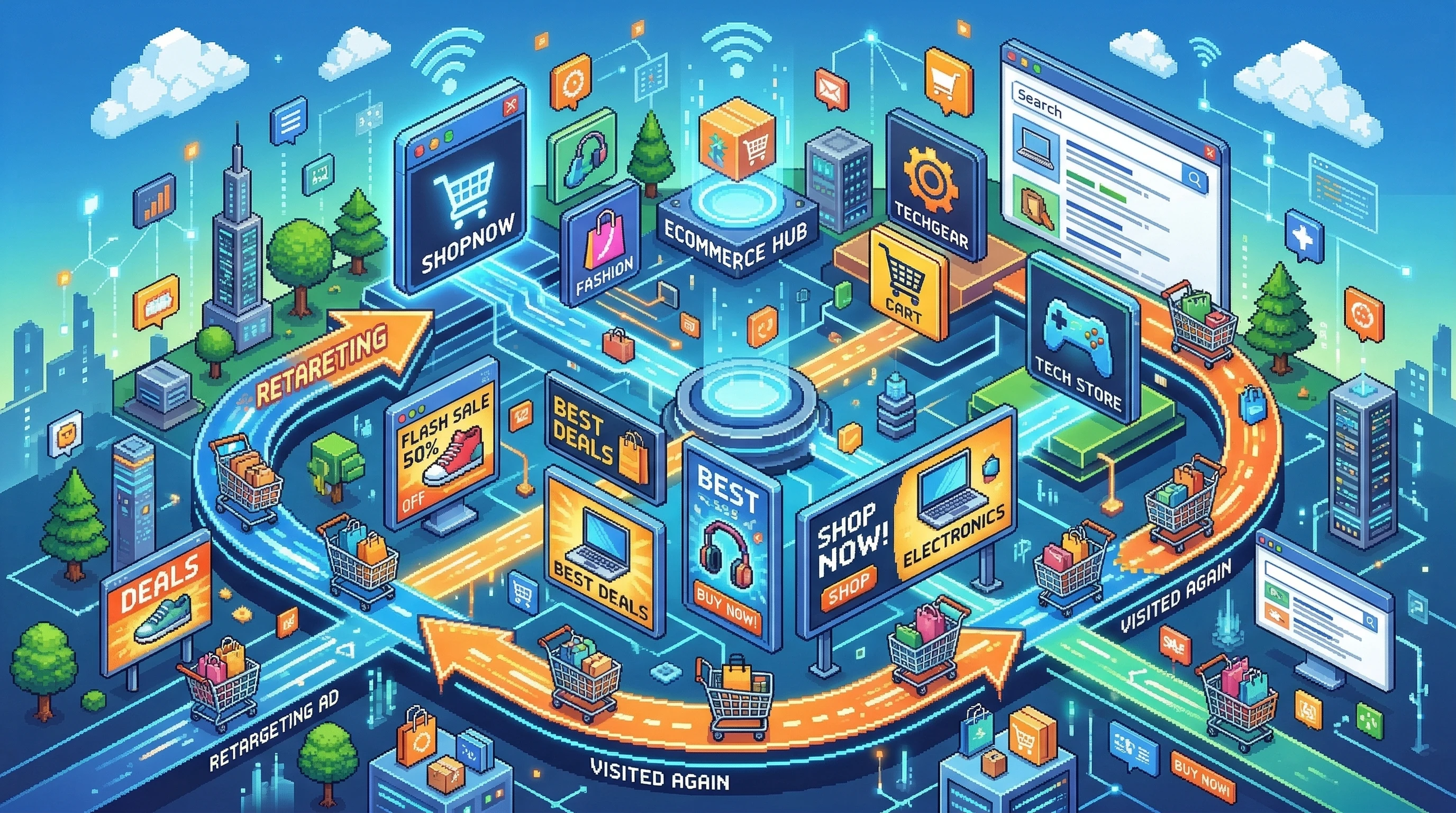
Retargeting basically means showing ads to people who have already visited your website or used your app but didn’t complete a target action, like making a purchase or signing up. You might notice ads for products you looked at following you around online—that’s classic retargeting in action. It helps keep your brand top of mind and can increase the chances that someone comes back and converts.
Most retargeting relies on tracking cookies or pixels, such as the Facebook Pixel or Google Ads tag, that remember the people who visited and what they did on your site. It’s a big part of digital advertising, with platforms like Facebook, Instagram, Google, and LinkedIn making it pretty easy to set up. The mechanics work the same whether you’re running a small shop or a global brand; this method allows advertisers to focus their marketing budget on people who have already shown some interest.
How Retargeting Works: The Basics
Retargeting setups are usually pretty similar, no matter what platform you use:
- Tagging Visitors: You add a snippet of code (pixel or tag) to your site that tracks who drops by and what pages they interact with.
- Building an Audience: Your ad platform collects this info and creates a list of folks who meet your criteria, such as “viewed product page but didn’t purchase.”
- Showing Targeted Ads: These people then see ads for your products or brand while browsing other sites or scrolling through social media.
In my experience, retargeting can work wonders, especially for online shops, SaaS, real estate agents, and any other business that relies on getting people back into the funnel. Retargeting also helps level the playing field for smaller businesses, making it possible to compete with bigger brands, since you’re focusing on a warm audience rather than casting a wide net for new leads.
Simple Retargeting Strategies That Get Results
Retargeting isn’t just about annoying people with nonstop ads. You can make it both helpful and creative. Here are some straightforward retargeting strategies worth checking out:
- Remind Shoppers of Their Carts: If someone abandons a shopping cart, show them ads highlighting the items. Sometimes, a little reminder (with an added discount) is enough to bring them back. A simple nudge can convert hesitant visitors into loyal customers.
- Upsell or Cross-Sell: Retarget customers who already bought with ads for accessories or upgrades they might like. This works super well for ecommerce stores and helps build bigger orders or longer-term relationships.
- Content Retargeting: If someone watched a video, downloaded a guide, or read a product page, serve up related articles, reviews, or testimonials to nudge them along toward making a purchase or booking a call.
- Event-Based Retargeting: This is when someone completes a micro-action, like signing up for a newsletter, and you target them with a special offer for the next step. It could be a first-order discount, free consultation, or early access to something new.
- Customer Re-Engagement: People who haven’t visited in a while can get a “we miss you” campaign, sometimes with an exclusive perk to return. These can work wonders for subscription or membership sites.
Mixing and matching these approaches keeps your ads from feeling stale and gives people genuine reasons to revisit your site. You want your retargeting ads to feel like timely reminders or helpful suggestions rather than salesy interruptions.
Tips for Setting Up Your First Retargeting Campaign
Getting started with retargeting platforms can be pretty straightforward, but some smart tweaks can make your campaign much more successful and keep your budget in check:
- Segment Your Audience: Don’t bundle everyone into the same group. Divide by pages visited, time spent, items viewed, or previous purchase history for more focused ads. This personalization leads to better engagement and higher conversion rates.
- Set Frequency Limits: Avoid bombarding people. Limit how often a person sees your ad so you stay memorable, not annoying. Most ad platforms let you easily set daily or weekly limits.
- Use Dynamic Ads: Show the exact product someone viewed, not just a generic brand ad. This makes a big difference for shops with lots of products. Dynamic ads can adjust automatically based on user behavior and inventory.
- Freshen Up Creatives: Swap out your images and headlines regularly so your ads don’t get ignored or feel repetitive. Use seasonal themes or mention upcoming sales to catch attention.
- Test Different Offers: Sometimes, a 10% discount does the trick; other times, free shipping or a bonus gift is more effective. Try multiple angles and see what hits best with your audience.
Take time to check your analytics so you know what’s working. It’s easy to let a campaign run on autopilot, but ongoing tweaks usually get you a better return in the long run.
Common Roadblocks and How to Handle Them
Retargeting seems simple, but it can come with some bumps. Here are common problems and ways I usually get around them:
Ad Fatigue
People get tired of seeing the same ad over and over. If your click-through rates drop, swap your ads regularly or run several creative versions at the same time to keep things interesting.
Privacy Hurdles
Browser updates and privacy rules, such as GDPR or iOS tracking changes, limit what you can track. Make sure your privacy policy is clear, and use consent mode tools on your website so visitors know what’s happening.
Audience Size Issues
If your site doesn’t have a lot of traffic, your retargeting audience could be too small to run ads. In that situation, broaden your targeting window, for example using the last 90 days instead of 30, or combine audiences across multiple platforms.
Tracking Mistakes
It’s super important to double-check that your pixel or tags are installed properly. Tools like the Facebook Pixel Helper and Google Tag Manager Preview are useful to avoid missing any data.
Retargeting in Action: Real-Life Examples
Seeing how retargeting plays out in the real world helps make the whole strategy click. Here are a few examples I’ve seen work well:
- Abandoned Cart Campaigns: E-commerce stores often recover around 15% of lost carts just by reminding people they left something behind, sometimes with an extra incentive.
- Lead Nurturing: SaaS businesses show signup visitors a comparison or case study to nudge them through a free trial or demo sign-up.
- B2B Event Follow-Ups: Companies retarget people who visited a specific landing page during a virtual conference, reminding them to book a meeting or download a guide. These follow-ups can turn casual interest into real leads.
Retargeting works for so many business models, from retail to education to hospitality. The key is understanding what your users did and offering something useful or enticing based on that behavior. Even nonprofits use retargeting ads to remind past donors to contribute again or invite volunteers back for an upcoming event.
Retargeting Platforms Worth Checking Out
You’ve got plenty of options for running retargeting campaigns, and each comes with its perks:
- Google Ads: Covers the huge Display Network, YouTube, and even search retargeting for people looking you up after a visit. Google’s breadth gives wide reach, and you can easily measure your results in detail.
- Facebook & Instagram: Still really strong for retargeting, with lots of creative ad formats and detailed audience controls. These platforms work well for both B2C and B2B, as nearly everyone spends time here.
- LinkedIn: Ideal for B2B brands. Retargeting on LinkedIn lets you reach decision makers after they check out your company or whitepapers, which is great for higher-value sales cycles.
- AdRoll: Good for folks who want one dashboard to manage retargeting across multiple networks (web, social, even emails). AdRoll is popular with midsize businesses and those looking for a centralized experience.
I usually recommend starting with whichever platform your audience spends the most time on, then branching out once you see what works. This way, you don’t get overwhelmed by too many tools at once, and you keep your focus on results.
Frequently Asked Questions
Here are some questions that pop up often with retargeting, along with direct answers from my experience:
Question: How long should I keep showing retargeting ads to someone?
Answer: Most platforms let you set a time window. For abandoned carts, I like 7-14 days. For general site visitors, up to 30 days usually works best. Too long and you might just annoy people instead of bringing them back.
Question: Is retargeting only good for ecommerce?
Answer: Not even close; retargeting works for service providers, SaaS, B2B, and even local businesses. Wherever you want people to take a next step, retargeting can help. Restaurants, repair shops, and even coaches have all found success.
Question: How do I know if my retargeting campaign is working?
Answer: Keep an eye on metrics like click-through rate, conversion rate, and return on ad spend. If people are coming back and taking action, you’re probably doing it right. Most platforms show reports with these numbers, and you can always compare to your goals month by month.
Retargeting: Bringing Lost Customers Back Home
Retargeting is pretty simple in concept but packs a lot of power for businesses wanting to get more from their online marketing. By showing smart ads to the right people at the right time, you make it more likely they’ll remember you and come back to take action. I’ve seen companies of all shapes and sizes boost their results just by setting up a few well-planned retargeting campaigns. It’s worth trying if you want to spend less chasing new customers and do more with the audience you already have. Give it a shot, track your progress, and see how many of those “lost” visitors you can bring back home.