
Getting your website indexed by search engines is an essential step every website owner should include on their checklist. If your site isn’t indexed, it won’t show up in Google or Bing search results no matter how great your content is or how next-level cool your design looks. I’ve worked with plenty of sites that struggled to get noticed at first, so these tips come straight from hands-on experience and plenty of troubleshooting. Here’s how I make sure new websites get the attention of search engines right from the start.
Why Indexing Your Website Really Matters
Before getting into the details, it helps to know why indexing is important. When Google, Bing, or other search engines index your site, they’re adding its pages to their database. Only indexed pages can show up in organic search results. This is effectively the main way new visitors will find your site without advertising or direct links. Missing out on indexing means losing a ton of potential traffic and visibility.
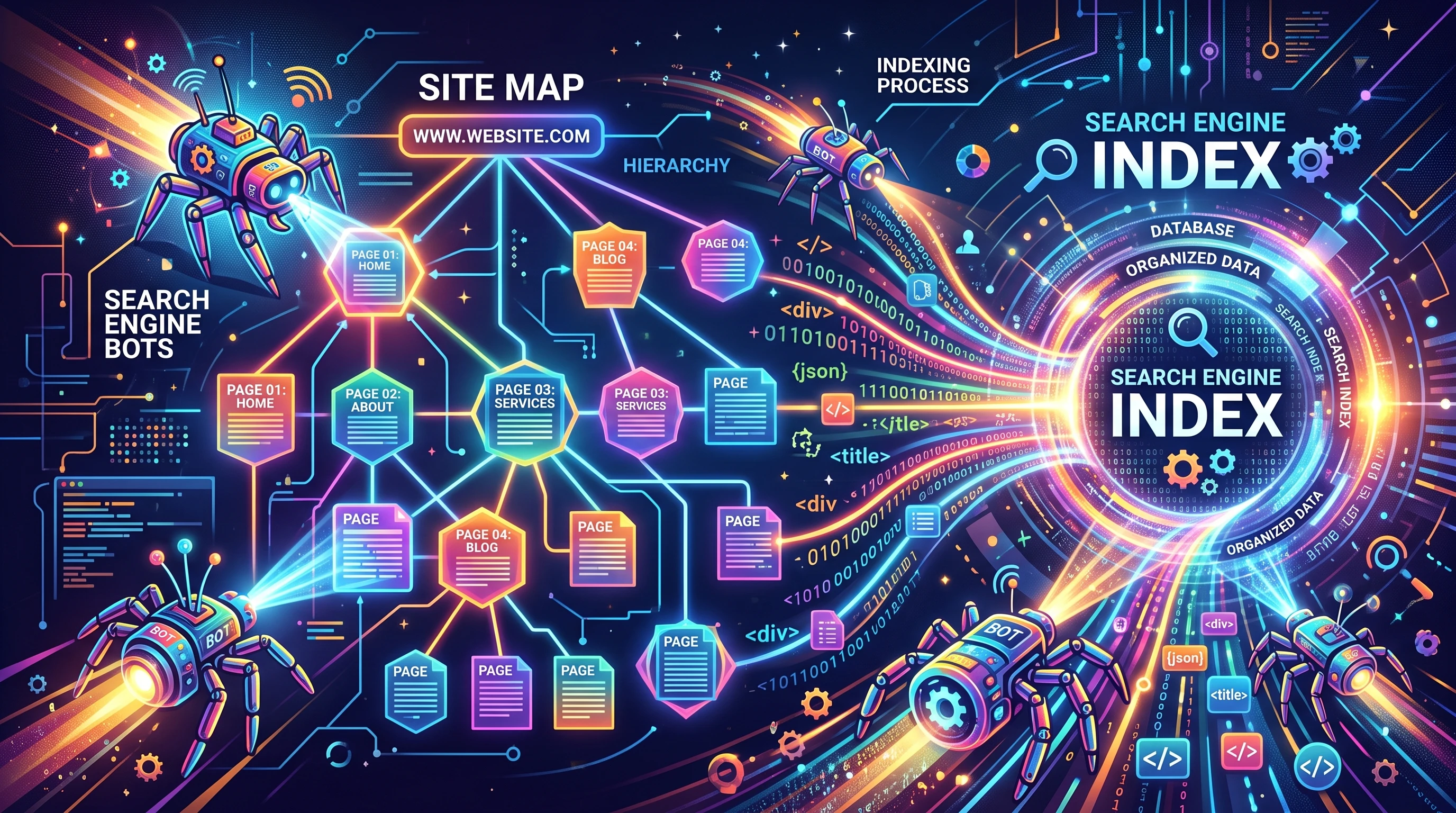
Since search engines crawl billions of pages every day, they use automated bots (called crawlers or spiders) to dig into, analyze, and catalog web pages. If your site isn’t built or set up the right way, those bots might not find your content, or they could skip right past it without saving anything.
Quick Overview of How Indexing Works
When I launch a new website, I always think about how search bots will see it. The process starts when the bots find links pointing to your site or you submit your site directly to search engines. The bots then crawl your pages, looking at URLs, reading content, and checking images or files. Pages the crawlers like end up stored in the search index, ready to appear in results when someone searches for your topics.
But, bots can face issues if your site has technical problems, has too many errors, is blocked accidentally, or just doesn’t seem relevant. This is where the tips below come in. They help your website get crawled faster and more effectively by reducing obstacles and highlighting the content you want noticed.
10 Proven Tips To Ensure Your Website Gets Indexed
- Submit Your Website to Google Search Console: I always set up Google Search Console as soon as possible. It’s a free tool from Google you can use to submit your website, upload your sitemap, and keep an eye out for indexing errors. You can also see how Google views your site, which is super helpful early on. Check out Google Search Console here.
- Submit Your Sitemap: A sitemap acts like a map for search engines, helping them find every page on your website. Most website builders and platforms allow easy sitemap creation, or you can use plugins if you run WordPress. Head to Search Console, upload your sitemap, and give crawlers a good start in finding your content.
- Check Your Robots.txt File: When sites don’t get indexed, I often find an overzealous robots.txt file is blocking crawlers. Robots.txt tells bots which pages or folders to avoid. Make sure you aren’t accidentally blocking search engines, especially on your main pages. Test your robots.txt at Google’s Robots Testing Tool.
- Create and Update an XML Sitemap: It’s not enough to just submit a sitemap once and forget it. Make sure your sitemap updates when you add or remove pages. Lots of CMSs automate this, but it’s worth checking every so often, especially after big site changes.
- Make Sure Your Website is Mobilefriendly: Search engines now prioritize mobile usability. If your site isn’t mobilefriendly, crawlers may avoid indexing it or rank it much lower. Use Google’s mobilefriendly test to see where you stand.
- Use Internal Linking: Linking your pages together helps crawlers find every part of your site. I usually add relevant links from topranking or homepage content out to new or buried pages. This spreads authority and makes sure nothing gets left behind.
- Speed Up Your Website: Fast sites tend to get indexed quicker because crawlers don’t waste time waiting for pages to load. Optimize images, use caching, and doublecheck your hosting service for slowdowns. Google PageSpeed Insights offers concrete advice on what to fix.
- Add Quality Backlinks: When reputable sites link to your website, crawlers notice. Even just a few links from industry forums, social media, or relevant guest posts can bring fresh crawlers to your pages and give your site a boost in credibility.
- Avoid Duplicate Content: Repeating the same text on multiple pages can hurt your chances of proper indexing. I always try to keep each page unique, using canonical tags where needed, so bots don’t get confused.
- Regularly Publish Fresh Content: Search engines love when websites update with new content. I try to post consistently, even if they’re small updates or blog posts. This keeps crawlers coming back to check for updates, raising my chances of fast indexing.
Things You Should DoubleCheck for Problems
Even with the steps above, a few snags can block your path to a properly indexed website. Here’s what I always look out for if pages aren’t appearing in search results:
- Noindex Tags: If you see
in your page source, remove it from any pages you want indexed. - Site Errors: Fix or minimize 404 errors, broken links, or server problems. Too many issues might make a bot skip crawling your site.
- Slow Servers: Websites with downtime or slow servers may not get crawled completely. If you notice crawl errors tied to server availability, check in with your hosting provider.
- JavaScriptHeavy Content: If your pages load core content via JavaScript, sometimes bots miss that content. Try serverside rendering for key sections or use tools like Google Search Console’s URL Inspection to see what Googlebot sees.
Mobilefriendliness
Having a responsive site is more important than ever, especially since most users and bots start with mobilefirst searches. I use responsive design themes and always preview how pages look on different screen sizes. Google prioritizes mobilefriendly sites for indexing, so this step isn’t just about speed; it’s about getting your content seen anywhere users search.
Site Speed
Pages that load quickly get crawled better. If my site feels slow, I check image sizes, reduce thirdparty scripts, and clean up unused plugins or add ons. Caching plugins and Content Delivery Networks (CDNs) help a lot too. Even shaving off a few seconds can tip the scales in your favor with search bots.
Internal and External Linking
When I add new pages, I make sure they’re linked from popular or highauthority pages. I also chase a few solid backlinks when launching something important, like a cornerstone guide or resource. A mix of thoughtful internal linking and a handful of respected external links gives crawlers extra reasons to pay attention, helping to set your website apart in the competitive digital landscape.
RealWorld Examples of Effective Indexing Strategies
There’s nothing like seeing these tactics work in the wild. For example, a recent client had a new site stuck in Google limbo. They had content ready but almost zero inbound links, no sitemap, and their robots.txt was blocking Googlebot. By fixing their robots.txt, generating a fresh sitemap, and posting links on relevant social media, the homepage started showing up in search results within just a few days.
I also see quick wins when regular content updates and internal linkbuilding are combined. One niche ecommerce store I worked with started posting weekly blog content and linking each product page from hightraffic articles. This got dozens of their product pages indexed in only a couple of weeks. These simple steps can be repeated for just about any type of site, whether it’s a personal blog, online store, or business hub.
- XML Sitemaps: Help bots track down new or hidden pages, especially on complex or large sites.
- Internal Blog Links: Drive traffic and crawlers from highvalue content to key landing pages; this game plan keeps both humans and bots moving smoothly around your site.
- Quick Backlinks: Even a few links from welltrafficked communities can speed up indexing and give you an early jumpstart with search engines.
Frequently Asked Questions
How long does it take for Google to index a new website?
It can take anywhere from a few hours to a few weeks. Submitting your sitemap and building a couple of internal or external links can really speed things up.
What’s the difference between crawling and indexing?
Crawling means bots are visiting and scanning your pages; indexing happens when those pages get stored in the search engine’s database. Sometimes pages get crawled but not indexed if bots find issues or duplication.
Why aren’t all my pages getting indexed?
Common reasons include noindex tags, blocked robots.txt entries, duplicate content, or technical errors. Review your technical SEO and check Google Search Console for indexing or coverage reports.
Wrapping Up
Making your website easy for search engines to find and index opens up the door to organic traffic. By fine-tuning technical details, linking pages together, speeding up your site, and regularly sharing new content, you’re sending clear signals to crawlers that your site is ready for visitors. These steps help put your site in front of searchers faster and keep it visible as you grow your presence online.
Search engine indexing is not a onetime fix; it’s a regular part of maintaining and growing your website. Every update you make is another opportunity for search engines to notice, so it pays to stay on top of things and adjust as algorithms mix it up. Keep tracking your progress in Google Search Console, and you’ll start spotting more of your pages show up where you want them: at the top of search results.