
If you’re managing any sort of email campaign, tracking what works and what doesn’t is pretty important. By regularly analyzing your email performance and running A/B tests, you get clear data on what your subscribers actually respond to. This can mean more opens, better clicks, and bigger results for whatever goals you have. I’m here to show you how to get started with email analysis and split testing so you can make your campaigns smarter and more effective, even if analytics isn’t your favorite thing.
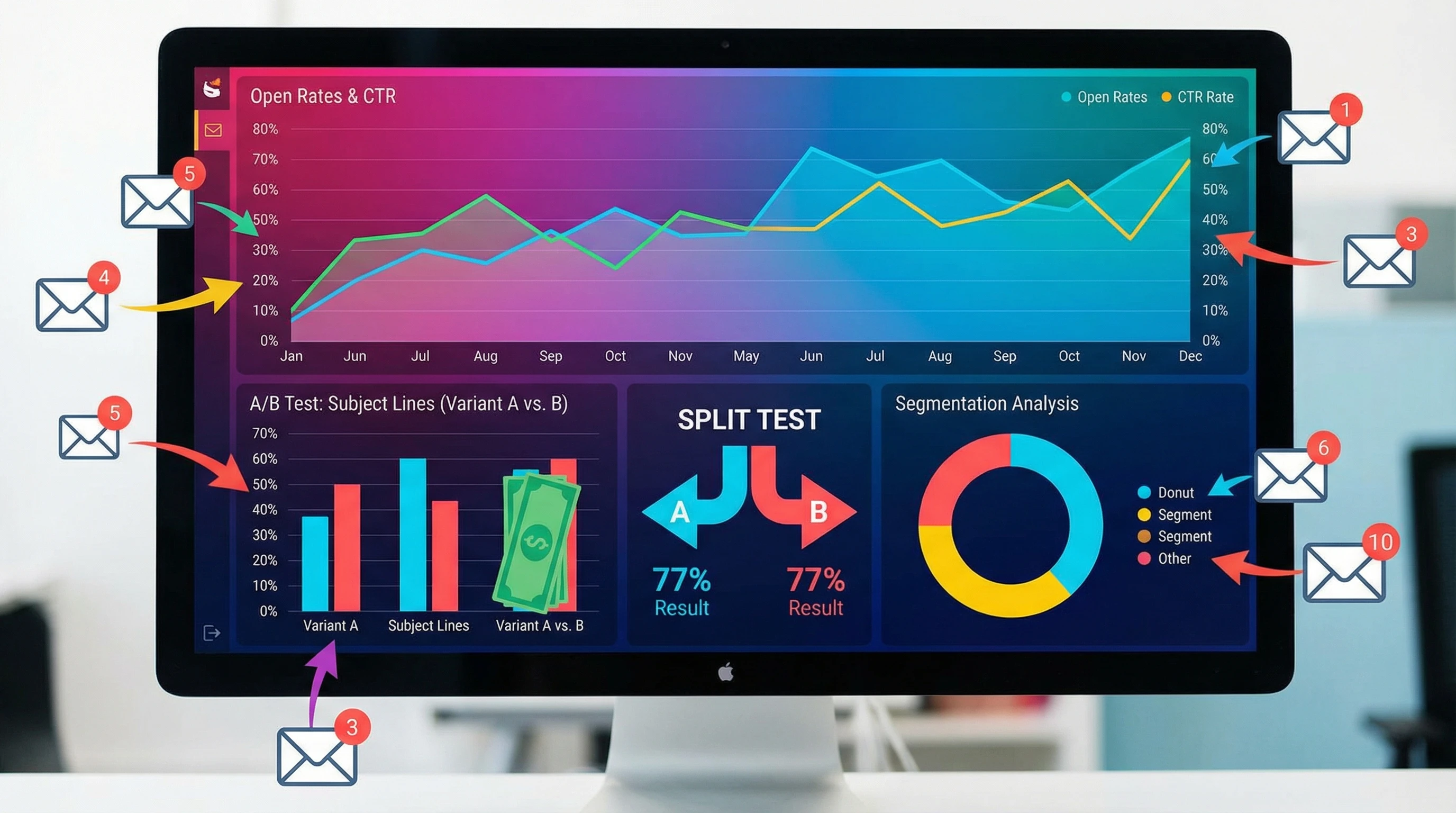
Email Campaign Analysis Basics
Email campaign analysis is simply the process of checking how your emails are doing with your audience. You can track all sorts of metrics, but here are the ones that usually matter most when you’re just starting:
- Open Rate: How many people open your emails.
- Click Through Rate (CTR): The percentage of recipients who click a link in your email.
- Bounce Rate: How many emails didn’t make it to an inbox, for example, invalid addresses or spam flags.
- Unsubscribe Rate: The percentage of folks clicking “unsubscribe” from your emails.
- Conversion Rate: How many people took a targeted action after engaging with your email, like making a purchase or signing up for a webinar.
Keeping an eye on these numbers gives you a quick health check on your campaigns. If you’re using a popular tool like Mailchimp, ConvertKit, or Sendinblue, all these stats show up right in your dashboard. Checking them regularly helps you track down what’s actually working and shows you where you can give certain elements a boost for future campaigns.
Getting Started with A/B Testing in Email
A/B testing is all about figuring out which version of an email works better. You send two slightly different emails (A and B) to small parts of your audience, then see which one gets better results. Once you see a winner, you use that version for the rest of your subscribers. This approach takes the guesswork out of your game plan and helps you move forward with more confidence.
Most email builders support split testing, and you don’t have to be a techie to set one up. Here are the basics of what you can test:
- Subject Lines: Does a question or a statement spark more curiosity?
- Send Times: Do subscribers open more in the morning or evening?
- Email Copy: Longer story or a quick punchy message?
- Calls-to-Action (CTAs): “Shop Now” vs. “Track Down More” for your buttons or links.
- Images vs. No Images: Some audiences like a bold design, others go for plaintext.
Quick Guide to Running Your First AB Test
I’ve found that starting simple is the best way to learn what gets results. Here’s a straightforward approach to running your first split test:
- Pick One Variable to Test: Start with just one thing, like the subject line.
- Decide How You’ll Measure Success: Are you chasing more opens, more clicks, or more sales?
- Split Your Audience: Most email marketing tools split your list automatically. Half get Version A, the other half get Version B.
- Send Your Emails: Hit send and let the test run its course. Don’t rush to call a winner too soon; let the results come in for at least several hours to a day.
- Analyze the Results: Look for clear differences in the specific metric you set. Go with the version that performs better and use that insight in future emails.
By sticking to one variable, you know exactly what’s making a difference in your results, which makes the learning process more straightforward.
Key Points to Consider Before Testing
Not all email lists and products are the same. There are some things that make or break your tests; ignoring these wastes time and can give you misleading stats:
- Sample Size: Small lists can deliver weird or unreliable data. Bigger groups usually give clearer insights.
- Testing Too Many Changes: If you tweak three or four things in one go, you won’t know which one actually moved the needle.
- Choosing the Wrong Metric: Always know what you’re measuring. Open rates are good for subject lines, but not for testing a sales pitch inside your email.
- Testing Frequency: Testing every single email quickly gets overwhelming. Pick your most important campaigns or send to bigger groups to get started.
Sample Size and Audience Segmentation
Smaller lists make it tricky to get statistically sound results. Sometimes, just a handful of extra opens can swing your data dramatically. If you don’t have a massive audience, consider running the same test multiple times to see if the results are consistent. As your list grows, your tests will get more reliable naturally. Audience segmentation also helps ensure you’re checking real differences rather than random swings caused by a mismatch between groups.
Focusing on the Right Metrics
Getting clear about what you want from each test saves you a lot of head scratching. If I’m testing a subject line, I’m only looking at open rates. If I’m testing my calltoaction, click rates (or conversions if I’m linking to a landing page) matter. Having clear goals makes your results way easier to interpret and helps you spot what’s actually helping you reach your campaign’s objective.
Tips for More Meaningful Analysis
Reading the numbers is only valuable if you actually learn from them. Here are a few tips that help you get more from your email analysis and A/B testing:
- Look for Patterns, Not Just Spikes: Oneoff results can be flukes. Patterns over several campaigns give you insights you can rely on.
- Monitor Over Time: Results can mix it up as your list grows or your audience changes. Staying sharp about these trends lets you adjust your game plan before your stats start slipping.
- Keep Notes: I always record what I tested, when I tested it, and any ideas about why one version won. It’s a cheat sheet for next time, making future campaigns easier to plan and tweak.
- Don’t Worry About Perfection: Not every test will be a slam dunk. Treat each campaign as a learning opportunity instead of a pass/fail. If you stumble upon something unexpected, that’s a win you can use in future emails.
Real Life Examples of AB Testing in Email Marketing
- Nonprofits: I’ve seen simple changes in subject lines, like saying “Your Impact Story” versus “How You Changed Lives,” nearly double open rates for fundraising appeals. Nonprofits stepping up their message can really motivate supporters.
- Retailers: Swapping the calltoaction from “See Our Spring Sale” to “Shop Fresh Styles” often leads to more clicks and higher sales. Sometimes, changing your language gives your offer a fresh vibe that connects better with shoppers.
- B2B Newsletters: Turning a longer, infopacked newsletter into a focused version with a single topic or offer helps boost both open and click rates. Businesses looking to keep things concise can really benefit from this tactic.
The experts at Campaign Monitor share a bunch of practical AB testing examples worth checking out if you want some fresh inspiration or want to dig into how these strategies look in action.
Frequently Asked Questions
Here are some things people often ask when getting started with email campaign analysis and AB testing:
Question: How often should I analyze email performance?
Answer: Checking results after every campaign is handy, but I also like to review my monthly trends for a bigger picture view. This helps keep small hiccups from throwing off your long-term plans.
Question: Can I test more than one element at a time?
Answer: Multivariate testing exists (where you test a bunch of elements at once), but it’s more technical and usually requires a larger audience. I stick to one variable at a time early on since it gives clearer results and is easier to manage.
Question: What if my AB test results are close?
Answer: If the difference is tiny, you can either retest or stick with the option that’s easier for your workflow. Sometimes, a “win” comes down to your own convenience. Mixing in some variety for future tests can also help you spot if a pattern holds.
Email Analysis Tools Worth Checking Out
There are some really userfriendly platforms for tracking and testing emails, including:
- Mailchimp: Basic reporting and built in AB tests.
- MailerLite: Offers streamlined split test features on affordable plans.
- Campaign Monitor: Solid analytics and easy test setup, especially for larger lists.
- HubSpot: Good for lead nurturing and more advanced campaign tracking, if you’re scaling up.
Most of these services have free trials, so you can poke around before paying. Just look for the analytics or split test features and see how they fit your workflow. You might even stumble upon integrations you didn’t expect, letting you get more from your efforts.
Improving Campaigns: Putting Analysis and Testing to Work
Treating email analysis and AB testing as part of your ongoing workflow is super important. Any time you spot something that works, add it to your “playbook” and try applying it to your next campaign. Over time, all those little tweaks stack up to give you way better results without having to reinvent the wheel every time you hit send.
Email marketing isn’t about wild guesses. It’s about using real data to build strategies that actually connect with your readers. Tweak, test, and keep learning, and you’ll start seeing solid improvements with each new email you send out. Bottom line: every analysis helps you step up your email game, making sure your message stands out where it matters most.