
If you want to know how to build a high converting landing page, start by dropping the idea that conversion is a property of the page alone. A page converts well when the right visitor arrives, understands the offer in a few seconds and finds one obvious thing to do. This walkthrough builds a single page in the order a visitor reads it, so you can finish it in one sitting without a designer or a developer.
“High converting” has no fixed number. Any benchmark percentage you see quoted depends on the traffic source, the offer and the audience, and none of them describe your page. The only comparison that matters is your page this week against your page last week.
Decide what the page is for before you open a builder
Every weak landing page I can describe has the same cause: it tries to serve several people and several goals. Before you touch a template, settle three things:
- One offer. A single free guide, a single product you will recommend, a single webinar.
- One visitor. A specific person, such as someone who wants to start a side income from home and has no marketing experience.
- One action. Joining your email list, or clicking through to the merchant’s page. Pick one.
Write them as a sentence and keep it where you can see it: “This page is for people who want a side income from home, and I want them to join my list for the free starter checklist.” If a headline, image or paragraph does not serve that sentence, it does not go on the page.
For a first page, an email signup is usually the better action than a direct affiliate click. A visitor who clicks straight to a merchant and leaves is gone, and you cannot follow up. A visitor who gives you an email address can hear from you again, which matters because most people do not buy on a first visit. If that route suits you, building your first email list from scratch covers the groundwork around the page.
Also decide where the traffic will come from: a social post, a search result, a paid ad, a link in a video description. The page should continue what that source promised. If your post says “free checklist” and the page opens with a pitch for a course, the visitor feels misled and leaves.
Write the headline and first screen so a stranger knows they’re in the right place
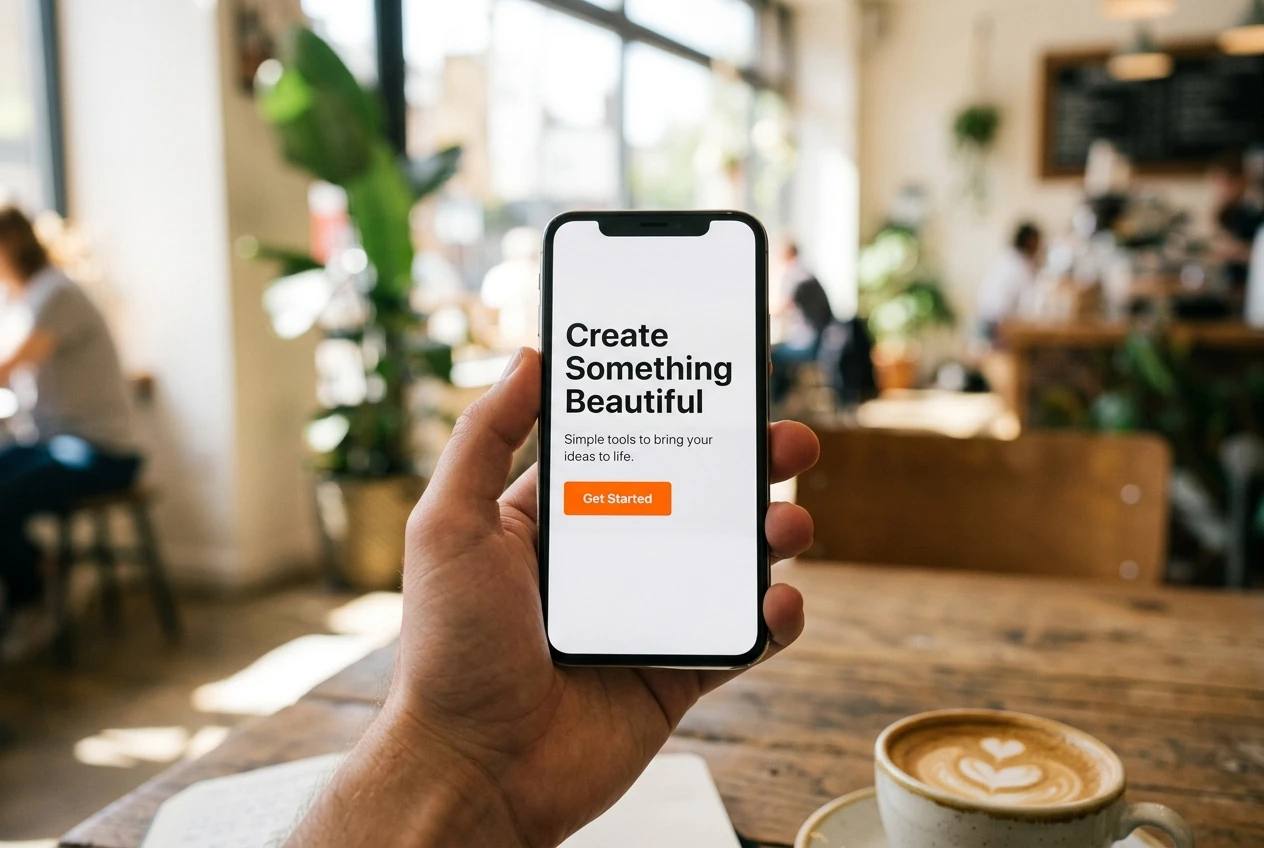
The first screen is whatever shows before anyone scrolls, on a phone as well as a laptop. A visitor decides within moments whether to stay, so this part carries most of the weight. It needs four things:
- A headline that names the visitor or the result.
- One supporting sentence that explains what they get.
- The button or form.
- Optionally, one relevant image.
A headline works when it answers “Is this for me, and what do I get?” Compare two versions. “Welcome to my website” answers neither question. “A one-page checklist for launching your first affiliate site” answers both for the right reader and tells everyone else to move on, which is a good outcome, because the wrong visitors lower your numbers and bring you nothing.
Some habits help:
- Use the words your visitor would use to describe their problem, not your industry’s words.
- Promise something the page and the offer can deliver. “Double your income in 30 days” is a claim you cannot support, and in many places it is also a legal problem.
- Echo the wording of the post or ad that sent them, so the click feels like a continuation.
Test the first screen on a person. Show it to someone for five seconds, hide it, and ask what the page offered and who it was for. If they cannot say, rewrite the headline. This costs nothing and tells you more than an hour of staring at the screen yourself.
Copy that sells without sounding like a sales page from 2009
You know the style: capital letters, red text, a fake countdown timer and a story about a man who “went from broke to a mansion.” Readers have seen all of it, and most of them assume it is a trick.
Plain copy does better, and it follows an order that mirrors the questions a visitor asks:
- What problem do I have? Describe it in one or two sentences, in terms the reader recognises.
- What am I getting? State the offer: what it is, what format it comes in, how they receive it.
- What will it help me do? Describe the outcome in concrete terms rather than adjectives.
- Who is it for, and who is it not for? One honest line about each builds more trust than any amount of enthusiasm.
- What if I’m hesitating? Answer the most likely objection: cost, time, whether it works for beginners, what happens to their email address.
- What do I do now? Repeat the button.
Describe what the offer does rather than listing what it contains. “Twelve templates” is a feature. “Fill in the blanks and have your first email written in ten minutes” is a result, but only write it if it is true of what you are offering.
Length depends on how much you are asking. A free checklist needs a short page, because the visitor risks nothing. A paid product or a long commitment needs more explanation, because the visitor needs more answers before acting. Write until the questions are answered, then stop.
Read the page aloud before you publish it. Any sentence you would be embarrassed to say to a friend across a table should be rewritten. Cut urgency that is not real, too: a “last chance” banner on an offer that never ends costs you credibility the first time a visitor returns and sees it again.
Proof you can use honestly when you have no customers yet
New affiliates often feel stuck here, and fabricating testimonials is the tempting way out. Do not do it. Invented reviews are deceptive, they break consumer protection rules in many countries, and merchants can remove you from their program for them. You have honest options instead.
- Show the thing itself. If the offer is a checklist, show a real section of it. If it is a recommendation, show the real screen or process you are recommending. A visitor can judge a sample far better than a claim.
- Quote published sources and name them. If the merchant’s own site publishes figures, features or independent reviews, you can refer to them with attribution and a link. Copy them accurately, and do not present the merchant’s claims as your own results.
- State your criteria. If you are recommending a product, say what you checked before recommending it. This is evidence of care, as long as the criteria you list are ones you really applied.
- Use real feedback with permission. If a friend, a reader or a fellow member has actually used your guide and agrees to be quoted, use their words exactly, with their permission.
- Be straight about your position. If you are new, you may say so plainly where it is true. Many readers prefer a beginner who is honest to an “expert” with nothing behind the title.
Never use income claims you cannot document, and never imply results a typical visitor should expect unless you can show them. Proof you can back up is worth more than proof that sounds large.
One button, one action: design choices that cut distraction
Design for a landing page means removing choices. Each extra link, menu item or second offer gives the visitor a reason to leave without acting.
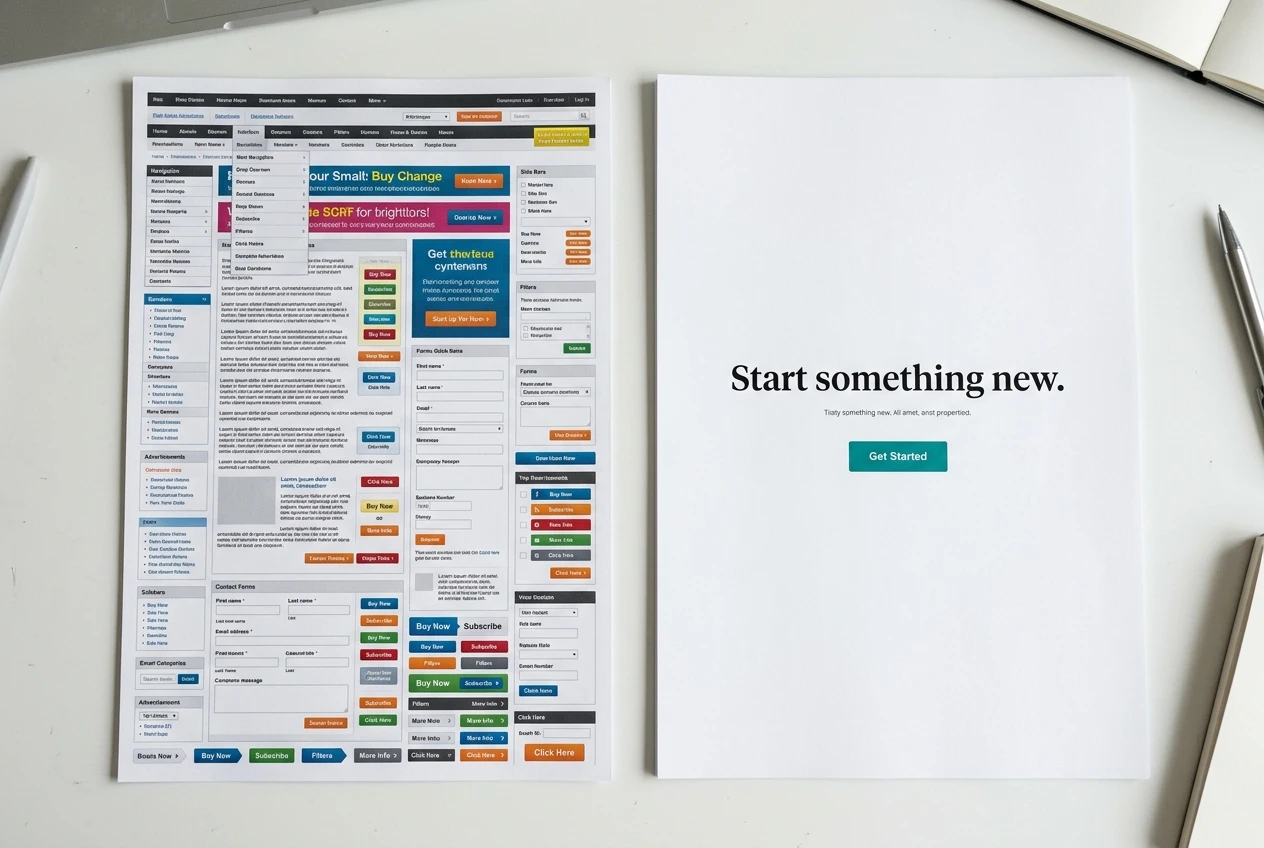
- Remove the navigation menu. The only exits should be the button and the small footer links you are required to have, such as your privacy policy and disclosure.
- Use one button wording throughout. “Send me the checklist” is better than “Submit,” because it names the benefit. Repeat the same button after the copy and again near the bottom of a long page.
- Make the button stand out. Use a color that contrasts with the background and leave empty space around it. No special color is magic. Contrast is what matters.
- Ask for as little as possible. An email field alone is the least friction. Each additional field, such as phone number, lowers the number of people who finish.
- Keep one image, and make it relevant. A picture of the actual offer beats a generic photo of people in an office. If you have no relevant image, use none.
- Skip sliders, autoplay video and pop-ups. They distract the visitor, slow the page and often cause trouble on phones.
Left-aligned text, a readable font size and short paragraphs are enough for a page that looks trustworthy. Visitors judge a page as credible or not very quickly, and clutter is the fastest way to fail that judgment.
Set it up properly: mobile layout, load speed and the forms and links that must work
A good page that breaks on a phone or loads slowly will underperform a plain page that works. Before you send any traffic, go through these checks.
Mobile layout. Many visitors from social media and search will arrive on a phone, so check the page on a real one, not only in the builder’s preview. The headline should be readable without zooming, the button should be large enough to tap with a thumb, and the form should not be covered by a keyboard or a banner. If you are still choosing a platform, the comparison of website builders for affiliate marketers looks at speed and setup.
Load speed. Compress your images before uploading them, use one or two fonts at most, and leave out video backgrounds and heavy scripts. Run the live page through Google’s free PageSpeed Insights tool and read its suggestions. You do not need a perfect score, but you should fix the largest items it flags, which are usually oversized images.

Forms. Submit the form yourself with a real email address you can check. Then confirm four things:
- The data arrives in your email platform.
- The confirmation or welcome email is delivered and not sent to spam.
- The thank-you page appears and tells people what happens next.
- If you use double opt-in, the confirmation link works.
Links. Click every link on the page on your phone, including the affiliate link. Confirm it opens the correct merchant page and that the tracking works as the program describes. Add the sponsored attribute to affiliate links, which is what Google asks sites to do with paid or commissioned links; most builders and WordPress plugins offer this as a checkbox or setting.
Include a link to a privacy policy that states what you do with email addresses. Most countries expect this wherever you collect personal data, and email platforms often require it.
Track it and change one thing at a time
You cannot improve a page you do not measure. At the simplest level you need two numbers: how many people visited, and how many did the action. Divide the second by the first and you have your conversion rate. Do not compare it with anyone else’s. Write down your starting figure and measure change from there.
To make the numbers useful:
- Tag your links by source. Add UTM parameters to the links you post, so you can see whether visitors from a social post behave differently from visitors from search. Most analytics tools and link builders do this for you.
- Set up one conversion event. In Google Analytics, mark the thank-you page view or form submission as the action. The guide to Google Analytics 4 for beginners shows how to answer the few questions that matter.
- Keep a log. A spreadsheet with the date, what you changed, the visitors and the actions is enough.
Then change one thing at a time. Start with the headline, because every visitor reads it. If you change the headline, the button and the image together and the rate moves, you will not know which change did it.
Be careful with small numbers. If a page has had a handful of visitors, a difference between two and four signups is chance, not a result. Decide in advance how many visitors you will collect before judging a change, and do not stop early because the figures look good or bad on day two. When traffic is low, make bigger changes, such as a different offer or a rewritten first screen, instead of adjusting button colors.
The pattern of numbers also tells you where to look:
- Many visitors, few clicks on the button: the headline, offer or first screen is not landing.
- Many button clicks, few completed forms: the form is asking too much or has a technical fault.
- Plenty of signups, few opens on your emails: the issue is in the follow-up, not the page.
Affiliate pages: disclosure rules and the traps that get pages pulled
An affiliate landing page carries obligations that an ordinary page does not.
Disclose clearly. In the United States the Federal Trade Commission expects you to tell readers about a financial relationship in a clear and conspicuous way, close to the recommendation, in plain words. Many other countries have comparable rules. A disclosure buried in the footer or hidden in a link to a separate policy page does not meet that standard. Put a short line near the top or beside the affiliate link, for example: “I may earn a commission if you buy through links on this page.” Add “at no extra cost to you” only if that is accurate for your program.
Read the program’s terms before you publish. Affiliate programs set their own rules, and breaking them can cost you your commissions or your account. Common restrictions to look for:
- Limits on using the merchant’s brand name or trademarks, especially in domain names or ad text.
- Rules against copying the merchant’s own sales copy or images without permission.
- Restrictions on how you may advertise, including paid search on brand terms.
- Requirements about which claims you may make, particularly around income, health or finance.
If a program’s rules are unclear, ask support before you build the page. The list of affiliate programs worth a beginner’s time includes the checks to run before you apply.
Avoid pages that only pass visitors along. Ad platforms and search engines often reject or demote pages that add nothing and exist just to send people to a merchant. Your page should contain real information of its own: what the offer is, who it suits, and why you recommend it.
Respect email rules. If you collect addresses, tell people what they will receive, include an unsubscribe link in every email, and follow the consent rules where your subscribers live. In the US, CAN-SPAM also requires a valid postal address in commercial email, and the EU and UK require clear consent.
Do not fake scarcity or results. Countdown timers that reset, “only three spots left” on an unlimited offer and made-up testimonials are the fastest way to lose both visitors and affiliate accounts.
Build the page this week
Pick one offer you already plan to promote and build your first landing page this week using the outline above: write the one-sentence purpose, draft the first screen, write plain copy, add only proof you can back up, strip the page to one button, check it on a phone and put the disclosure in place. Then link it to your email sequence so every signup gets followed up automatically, using the five emails that do the selling while you’re not at your desk as your starting point.