
Creating engaging video content that leads viewers to take action is something a lot of people want, but it can feel daunting if you’re just starting out. Whether you’re building up a brand, looking to boost your side hustle, or want more sign-ups or sales, making videos that convert isn’t about luck. There’s a rhythm and method to it. I’m excited to share what I’ve learned from testing and tweaking so many videos myself.
Why Video Content Works for Conversions
Video content has exploded over the past decade. Scrolling through social media or websites, you’ll spot that top-performing pages almost always include a catchy video. That’s not an accident. People process visuals way faster than text. A good video isn’t just attention grabbing; it brings out real emotion, builds trust, and nudges viewers toward action.
Recent stats say that around 88% of people have bought a product or service after watching a brand’s video. It makes sense, because videos can quickly show what you’re offering and answer objections in a fun, quick way. Even a hobbyist can shoot simple, mobilefriendly videos now that get more clicks and shares than fancy magazine ads. Some of the most successful brands share casual, creative videos that connect with viewers on their level.
Key Elements of Engaging Video Content
Not every video converts, though. Just posting isn’t enough. Getting people to stick around or click through comes down to a few common factors:
- Clear Message: If it’s not obvious what you’re saying in the first 10 seconds, people will scroll on. State your main point early and keep it at the front.
- Strong Hook: Those first few frames matter. Even something as simple as an intriguing question or a bold visual gets people to pause and keep watching.
- Value for Viewers: Viewers are more likely to stay if they’ll get something from it, like a laugh, a handy tip, or a quick fix for a common problem.
- Emotional Connection: Spark curiosity, excitement, or even a grin, and people will pay attention longer and are more likely to act.
- Visuals That Pop: Sharp visuals, high-contrast colors, and clear graphics catch the eye and help explain your point fast.
- Clear Call to Action (CTA): Don’t assume your viewers know what you want. Be specific; ask them to like, subscribe, click, or check out your product.
Steps to Plan and Script a High-Converting Video
Making a video convert is easier when you don’t just wing it. Planning takes more time upfront, but the results are worth it. Here’s what I do:
- Define Your Goal: Are you after sign-ups, sales, followers, or shares? The whole video should aim for that one target.
- Know Your Audience: Think about what your viewers care about. What problems do they have? What kind of humor or tone do they like?
- Write a Brief Script: Bullet points work if full scripts feel stiff. Make a roadmap and include only what you need.
- Hook Them Fast: Lead with something unexpected: a bold claim, a question, or a cool visual. This grabs attention and stops the scroll.
- Deliver Value Quickly: Attention spans are short, so deliver the solution or benefit quickly.
- End with a Clear CTA: Spell out what they should do next. Never assume they’ll just know—ask them directly.
Producing Your Video: Equipment and Simple Tips
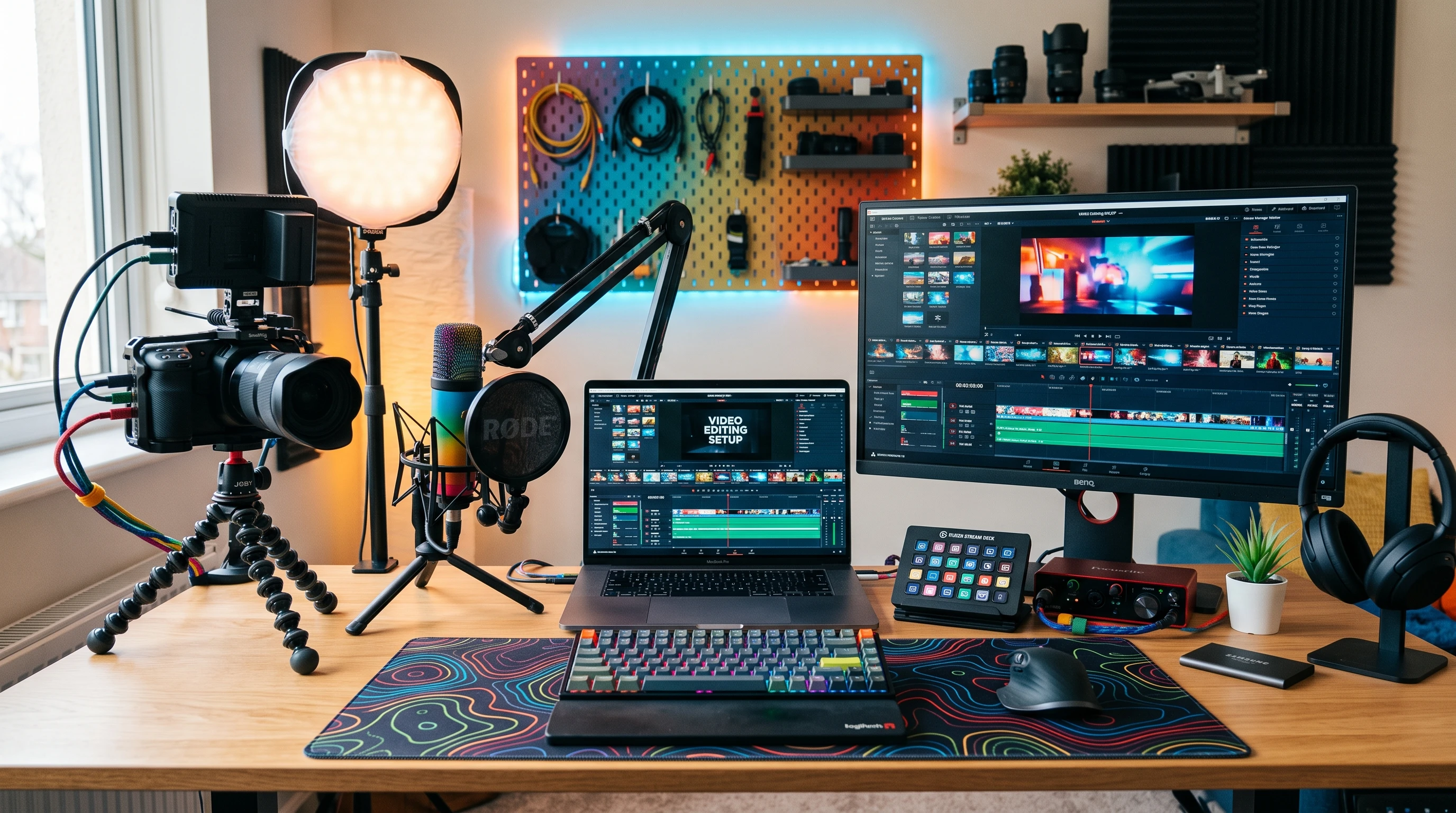
You don’t need fancy cameras or pro lighting to film good content. You can make great videos with just your smartphone if you set things up correctly. Here’s what’s worked for me over the years:
- Use What You Have: Modern smartphones shoot crisp video in decent light. Just wipe the lens and use the back camera for better quality.
- Lighting: Natural light from a window can instantly make your videos look sharp. Indoors, an affordable ring light or a regular lamp works too. Consistency matters more than fancy equipment.
- Stabilization: Shaky footage puts viewers off. Use a tripod or prop your phone up with books. Keep your lines straight for a pro look.
- Sound: People will forgive a slightly grainy video, but bad audio makes them leave. Use a clip-on mic or your phone’s voice memo app for clear sound.
- Frame Right: Keep your face or your main subject at eye level. Good framing makes a huge difference in how professional your video looks.
Editing for Engagement and Conversion
Editing is where you can really set your video apart. Apps like CapCut, iMovie, and DaVinci Resolve are beginner friendly and offer lots of features. Here are some essential editing tips:
- Trim the Fluff: If a part doesn’t move the story forward, cut it. Rambling or unrelated bits cost you viewers.
- Add Captions: So many people watch videos on mute, especially on social media. Captions keep them watching and make your video accessible to more people.
- Match Visuals to Your Message: Add overlay text, arrows, or graphics to highlight key points.
- Include Branding: A simple logo helps people remember you. Don’t make it overwhelming; the message is still king.
- Keep the Pace Up: Use fast cuts, sharp edits, and quick transitions. This makes your video feel shorter and keeps attention high through to the end.
Things to Watch for When Making Conversion-Focused Videos
I’ve made every mistake in the book, especially when starting, so here are a few common issues to look out for:
- Saying Too Much: Stick to one message per video. Dumping too much info makes people tune out quickly.
- Ignoring Thumbnails: The thumbnail is often the very first thing viewers see. Make it eye catching and simple, with your subject front and center.
- Skipping Mobile Optimization: Most videos are watched on phones. Make sure your text, visuals, and framing look sharp on small screens.
- Skipping Analytics: Not every video will be a winner. Keep an eye on your numbers, see what works, and adjust next time.
Thumbnails That Catch Eyes
Simple, high-contrast images with big, bold shapes really stand out in a scrolling feed. Avoid clutter and put your main subject front and center for more clicks and engagement.
Calls to Action That Work
A call to action isn’t about pressure. Keep it casual: “Check out the link below if you want to learn more,” or “Tap subscribe so you don’t miss what’s next.” Honesty and straightforward wording get better results than hard sells.
Extra Tips for Converting Viewers to Buyers or Subscribers
After you’ve mastered the basics, here are some additional tips I’ve seen work for getting viewers to take action:
Storytelling Over Selling: People remember stories much better than a pitch. Share how you fixed a problem, or let satisfied customers tell their stories on camera.
Show, Don’t Just Tell: Demonstrate your product or tip in real time. Beforeandafters, live walk-throughs, screen shares, and unboxings pull viewers in deeper.
Stay Consistent: Posting consistently builds trust with your viewers. It lets people know you’re serious and worth following.
- Test Your Timing: Upload at different times and days. Look at your analytics to see when your audience is most active and adjust as you need.
- Use Analytics: Free insights from YouTube, Instagram, and even Facebook show you what’s working best. Let your numbers guide you and adjust your approach.
Practical Use Cases for Engaging Video Content
So, what does a video that actually converts look like? Here are some real-life examples you can use or tweak for your own brand:
- Product Demos: Showing your product in action lets viewers picture themselves as the user, which brings them closer to buying.
- Tutorials: Teaching something useful, even if it’s simple, makes people more likely to follow or share your page. This is great for coaches, course creators, or anyone growing authority.
- BehindtheScenes: Letting people peek into your process or daily routines builds trust. Folks love feeling like insiders.
- Social Proof: Videos with real reviews or testimonials, especially with clear, honest feedback, build up credibility fast.
Frequently Asked Questions
Here are some of the most common questions I hear from those kicking off their video adventures:
Question: How long should my video be?
Answer: Short and sweet wins online, but it depends on your goal and platform. For Instagram or TikTok, stick to under 60 seconds. For YouTube, two to four minutes for explainer videos is about right. If you keep it interesting the whole time, viewers will stick with you.
Question: I feel awkward on camera! Any tips?
Answer: Everyone feels weird at first. It genuinely gets easier with practice. Try rehearsing before you shoot, or record without looking at yourself—just talk like you’re chatting with a friend.
Question: What if I have zero budget?
Answer: Start with your phone, use window light, and grab free editing apps. The message you share and the help you give your viewers matter way more than expensive gear.
Final Thoughts
Getting video content to convert boils down to real value, clear visuals, and a simple next step you want your viewers to take. It helps to plan ahead, keep your stories short and relatable, and test what works with your audience. Start small, stay consistent, and before long, you’ll see more clicks, sales, and followers rolling in from your videos. Video isn’t just for big businesses—it’s for anyone ready to share, connect, and grow online.