
Indexing is a pretty big deal for any website owner who wants their content to show up in search results. When search engines can’t properly access or understand your web pages, your efforts can easily go unnoticed. I’ve spent years troubleshooting indexing issues, both for my own sites and for others. If you’ve ever wondered why your content isn’t being found (or why some updates just aren’t showing up in search), you’re definitely not alone. Here’s my guide on common indexing pitfalls and how you can steer clear of them without losing your mind.
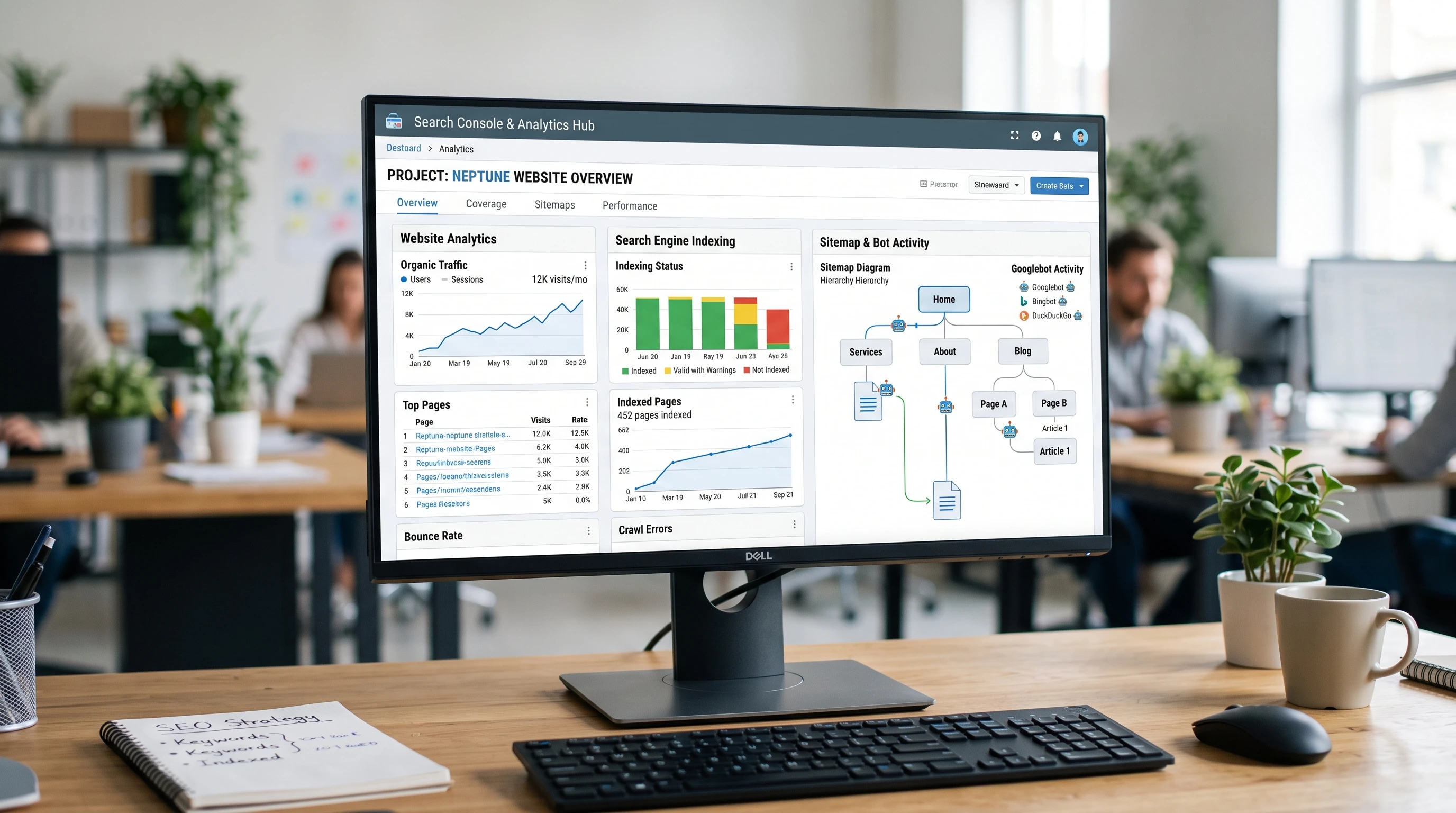
What is Indexing, and Why You Should Care
When search engines like Google crawl your website, they’re gathering info and trying to understand what your pages are all about. Once they index your content, it’s added to their massive database and has a shot at appearing in search results. If your pages aren’t being indexed, they basically don’t exist for anyone searching online. That’s pretty rough for anyone putting effort into web content, whether you’re a blogger, business owner, or digital marketer.
I started out assuming search engines would just find and index anything as long as it existed. Turns out, there are quite a few things that can get in the way of proper indexing. Some of them are surprisingly easy to overlook because they result from small settings or mistakes that go unnoticed unless you’re actively checking for issues. Plus, as websites become more interactive, technical roadblocks are becoming more common, making it especially important to stay ahead of potential problems.
Common Indexing Mistakes (and How They Sneak Up on You)
Several factors can block or mess up indexing. Most aren’t intentional, and sometimes they’re the result of a simple mistake or missed setting. Let’s break down the big ones:
- Accidental Noindex Tags; Sometimes, pages get tagged with a
noindexdirective by accident. This can happen in WordPress with a single checkbox, or when copying code between templates. Checking forin your page’s source code is a quick first step. - Blocked by Robots.txt; The
robots.txtfile tells search engines which parts of your site they can and can’t access. It’s easy to accidentally block important folders or pages, like by usingDisallow: /to block an entire site during development and forgetting to remove it. - Canonicalization Confusion; Canonical tags tell search engines which version of a page is the “main” one. Mistakes in these tags can point to the wrong URLs or even non-existent ones, causing the actual page to get dropped from the index. If your canonical tags aren’t accurate, Google’s bots may end up skipping your real content.
- Duplicate Content; If your website has lots of pages with the same or very similar content (which sometimes happens with ecommerce or blog archives), search engines might pick and choose which ones to index or skip them entirely. Sometimes, they might treat your page as a duplicate of another and leave it out.
- Slow Page Load or Errors; If bots hit a page and it’s too slow to load, or it returns a 404 or 500 error, there’s a good chance it won’t get indexed properly. Imagine waiting for a website to load, and it never shows up; bots have even less patience!
In my early years managing sites, I once accidentally set my entire blog to noindex with a tick in WordPress. It went unnoticed for weeks until I started to wonder why my traffic plummeted. It’s a classic example of how these small missteps can go undetected.
Checklist: Avoiding Indexing Pitfalls from Day One
After a few run-ins with unexplained drops in search traffic, I built a habit of routine checks before and after launching new pages. Here’s a list you can use to keep your site bot-friendly:
- Review robots.txt regularly; Open
yoursite.com/robots.txtand make sure important folders aren’t blocked. Search Console’s Robots.txt Tester is handy for this, and getting familiar with how search engines interpret your robots.txt can save you huge headaches down the line. - Check for noindex meta tags; Search your code for
noindex. In content management systems, look for visibility settings. WordPress, for example, lets you discourage search engines with a single click. Always double-check these settings after a site migration or redesign. - Verify canonical tags; Each page’s
rel="canonical"tag should point to itself unless it’s a duplicate or variant (like printfriendly pages). If your paginated archives use canonical tags wrong, you could lose entire sections from the index. - Find duplicate pages; Use tools like Screaming Frog or Sitebulb to scan for duplicate title tags, H1s, or content that might be confusing bots. Even similar meta descriptions can throw off search engines, so review these elements for clarity.
- Monitor crawl errors and site speed; Google Search Console alerts you to crawl errors. Fix these right away, and optimize your site speed using tools like PageSpeed Insights. Regular speed optimization can give your pages a better chance at being crawled and indexed quickly.
Doing these checks when publishing new pages or after big updates is pretty handy. It’s easy for issues to slip through if you’re making a lot of changes or have multiple people working on your site. Making a quick checklist and sticking to it can save you from headaches after a new launch.
Technical Issues Worth Checking
Some of the trickiest indexing problems come from things like site architecture or technical errors. Here’s what I keep an eye out for, especially on larger sites:
- Broken Internal Links; If you’re linking to pages that don’t exist or have moved, search engines will eventually stop crawling those paths. Tools like Ahrefs or SEMrush can help spot broken internal links quickly. If you’re unsure, try crawling your site as a bot would and see what you find.
- JavaScriptHeavy Content; If your pages rely on JavaScript to load up key content, some search engines might not see it at all. Google is a lot better about rendering JavaScript these days, but double-check how your pages appear using the ‘Inspect URL’ feature in Search Console. It’s a good practice to provide fallback content for essential sections.
- Large Sitemaps with Errors; Sitemaps are great for guiding search bots to your content, but outdated or misconfigured XML sitemaps can cause indexation problems. Keeping your sitemaps updated is super important when you’re regularly adding or deleting pages. Always resubmit your sitemap after you make big changes to your site structure.
- Redirection Loops; Redirects are fine when properly implemented, but redirect chains or loops (when page A redirects to B, and B redirects back to A or nowhere) will confuse both users and bots. If you notice high bounce rates or missing pages, check your redirect rules first.
Practical Strategies for Better Indexing
Sometimes it’s not about fixing errors. It’s about giving your site the best shot at being picked up and regularly indexed. Here are a few habits I try to stick to, and I’ve seen positive results from consistently applying these methods:
- Submit Updated Sitemaps; When launching or majorly updating a site, pushing an updated XML sitemap to Google Search Console helps get the attention of bots. If your site changes a lot, automate sitemap generation with plugins or build scripts. A regularly updated sitemap signals to search bots that your content is active and fresh.
- Regularly Review Google Search Console; The ‘Coverage’ tab in Search Console shows indexed and excluded pages. If anything is excluded, look at the reasons Google provides, which include “Crawled, currently not indexed” or “Duplicate without userselected canonical.” Addressing these suggestions promptly can help you track down problems before they become widespread.
- Use Internal Linking Smartly; Link new content from established pages and your homepage if possible. I’ve found that pages with a few internal links tend to get picked up a lot faster. Make sure your navigation menus and footers also guide bots toward your best content.
- Keep Important Content Close to the Homepage; Search engines like stumbling upon content within a few clicks from the main page. Deeply buried pages may get ignored. Try mapping out your site structure so no essential content is more than three clicks away from your homepage.
- Avoid Sloppy URL Structures; Use short, descriptive URLs, and stay away from session IDs or long query strings in your important web addresses. A clean URL looks good for users and helps search engines track down the right content faster.
Special Situations: Ecommerce, Blogs, and UserGenerated Content
Not all sites have the same structure, and some run into specific issues that demand unique fixes:
- Ecommerce: Filtering, faceted navigation, and category pages can explode into thousands of URLs. Consider using
noindex, followtags on filter or parameter pages you don’t want indexed. For products that go out of stock and may return, 404s might not be the best answer; a 302 redirect or a holding page can work better. Staying on top of your product and category URLs is crucial as your inventory changes. - Blogs: Tags and category archives can create duplicate content headaches. Set up canonical tags so blog posts are indexed as originals, not as duplicates of their archive listings. Also, try to keep your tags relevant and meaningful to avoid thinning out your site’s authority with too many nearempty tag pages.
- UserGenerated Sites: Comments and forums can quickly fill up with thin or spammy pages. Nip low-value pages in the bud with
noindex, or use JavaScriptdisguised links to control crawl priorities. Moderation and regular cleanups are key if you want to keep search engines focused on your best usergenerated content.
Remember, the unique setup for your site may introduce its own challenges, so always track down and address the most common pain points linked to your specific platform or use case.
Frequently Asked Questions
Here’s what I’m often asked about indexing hiccups:
Q: How do I know if a page is indexed?
A: Type site:yoursite.com/page-url into Google search. If your page shows up, it’s indexed. Google Search Console also shows the status of individual URLs.
Q: What do I do if my page isn’t showing up in Google?
A: Inspect the page with Search Console’s URL Inspection tool. Check for noindex tags, crawl errors, and make sure the page is linked from somewhere else on your site. Submit the page for indexing if everything looks good.
Q: How long does it take for new pages to be indexed?
A: It can take anywhere from a few hours to a few weeks. Factors include your site’s authority, how often it’s crawled, internal linking, and sitemap accuracy. Sometimes, submitting a fresh sitemap or even a single URL can speed things up if you’re in a hurry.
Troubleshooting in Real Time: My Go-To Approach
If I notice pages aren’t getting indexed, I’ll:
- Inspect the affected URL using Google Search Console.
- Check for accidental noindex tags or robots.txt blocks.
- Look for any recent changes to the site’s template or structure.
- Make sure the page has at least a few internal links pointing to it.
- Re-submit the page through Search Console and monitor what happens in the next week.
Most indexing issues are fixable once you know where to look. A little routine maintenance goes a long way for keeping your site in good search shape. Things like weekly checks on your Google Search Console, crawling your site with a bot-friendly tool, and keeping your sitemaps tidy will head off a lot of problems before they snowball.
Paying attention to indexing and giving your content a better shot at being noticed isn’t rocket science. Still, it is super important if you care about search visibility. With a few habits, regular checks, and a basic understanding of the tools, most indexing pitfalls can be sidestepped before they ever cause headaches. Whether you manage a tiny blog or a sprawling ecommerce store, giving a little extra care to how your pages are indexed pays off with more traffic and better results in the long run.