
Video storytelling is popping up everywhere, from YouTube vlogs to short films and branded content. Whether you’re looking to connect with your audience, share a passion project, or boost your business with a great story, getting the basics of video storytelling down makes a huge difference. I’ve worked on plenty of video projects and want to share some really practical tips for making stories that stick with people.
Why Good Storytelling Matters in Video
Viewers have tons of options, so grabbing and keeping their attention isn’t easy. It’s not just about fancy cameras or stunning edits; storytelling gives your content purpose and keeps people watching until the end. A compelling video taps into emotions, delivers a message, and leaves viewers wanting more.
This applies to all types of video projects: documentaries, tutorials, ads, or personal vlogs. The way a story unfolds can turn a basic idea into something memorable. Great story structure makes your message clear and relatable. Audiences end up caring about what you’re sharing, and that’s usually the main goal.
Getting Started: Build Your Story Foundation
Every strong video story starts with planning. While it’s tempting to grab a camera and shoot, spending time on the basics leads to a smoother editing process and a better overall result.
- Know Your Message: Before filming, jot down what you want people to feel, learn, or do after watching. This keeps you focused and avoids drift.
- Pin Down Your Audience: Think about who you’re talking to. Teens watching skate videos and professionals searching for career advice have totally different needs. Tweaking your style for your audience is super important.
- Outline Your Story: Even if you don’t write a full script, map out the beginning, middle, and end. This helps keep the story moving and allows you to spot any slow or unclear parts.
Figuring out your main character or subject also shapes how you’ll shoot. Are you focusing on an individual, a community, a place, or a problem? Defining this early gives your video a strong anchor.
Elements of Compelling Video Stories
The most memorable stories, whether movies or quick viral clips, use some tried-and-true elements. Here’s what to focus on when you’re piecing together your own video:
- Relatable Characters: Whether it’s you, someone else, or even an object, viewers need someone or something to root for. Show vulnerability, conflict, or growth to make it easy for people to connect.
- Emotional Pull: Make people laugh, cry, or get curious. It doesn’t have to be dramatic—a bit of heart or humor goes a long way.
- Clear Conflict or Challenge: Every story has ups and downs. The “tension” could be anything from a race against the clock to learning a new skill; this is what keeps people hooked.
- Resolution or Takeaway: End with something satisfying or useful. It could be a solved problem, a big achievement, or a call to action.
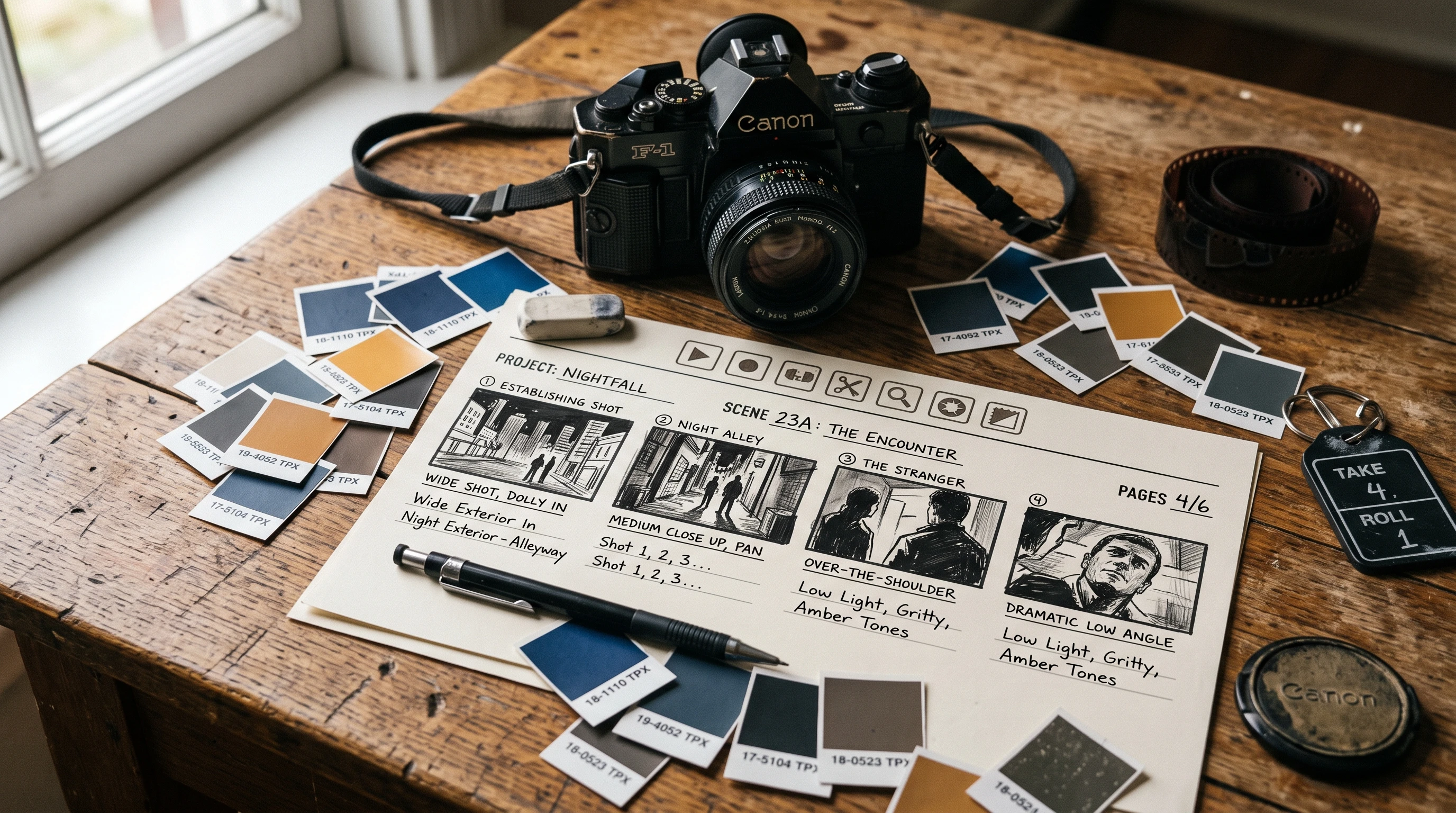
I’ve often found that even casual videos feel flat without at least a hint of conflict and resolution. Storyboarding or simply bullet-pointing these key beats before you shoot will save time and help you notice pacing issues later.
Quick Guide: Steps to Effective Video Storytelling
Simplicity goes a long way, especially if you’re new to video production. Here’s a practical breakdown to get started:
- Start with an Attention Grabbing Opening: Focus on the first five seconds. Use a question, a visual hook, or something mysterious to draw viewers in right away.
- Show, Don’t Tell: Videos are visual for a reason. Use footage, broll, and interesting shots to reveal your story instead of just talking at the camera.
- Mix Up the Pacing: Switch up how quickly things unfold. Fast cuts keep energy high, while slower moments create space for emotion and reflection.
- Use Sound and Music Clearly: Don’t overlook the power of sound effects or a music track; these can set the tone and give your video a stronger emotional punch.
- Keep it Concise: Only include scenes or shots that move the story forward. If a clip doesn’t add value, cut it. Editing is your best friend.
Experimenting is always good, but following these basics will give your video stories a strong foundation.
Things to Watch Out For
Even experienced video creators run into common challenges. Here are some pitfalls and tips for dodging them:
- Pacing Issues: If your video drags, viewers might click away. If it’s too fast, your story might feel rushed. Watching back with fresh eyes or asking for feedback helps you catch pacing problems.
- Overcomplicating the Plot: Simple is often better. Focusing on one main story or idea keeps viewers from getting lost.
- Unclear Message: Sometimes, creative shots and effects muddy your point. Check if someone unfamiliar with your project “gets it.” Ask for honest feedback.
- Poor Audio: Messy or unclear audio distracts from even the best visuals. An external mic and checking your sound in editing can make a difference.
Pacing and Attention Span
People’s attention spans are short, especially online. Chunk your scenes and use visual transitions or energetic music to keep things moving. If you find yourself getting bored watching your own video, your viewers probably will too.
Audio Quality
Audio often gets overlooked, but a clear voiceover or interesting ambient sound immediately gives your story more impact. Free resources and budget mics can give your sound the boost it needs. Is your setting noisy? Try voiceovers or captions so people can follow along.
Visual Consistency
Shaky shots, unexpected color changes, or jarring cuts can distract. Try to match color tone and camera style throughout, or use changes intentionally for key moments. Basic color grading filters in editing help tie things together.
Script and Planning
Winging it rarely delivers the best results. Even a loose plan keeps scenes in order and prevents missed shots. Sometimes just jotting down a shot list or story beats on your phone helps you stay organized.
With these issues in check, you’ll end up with more polished and professional looking videos.
Advanced Tips for Stronger Video Narratives
Once you master the basics, weaving in some intermediate strategies can bump up your video storytelling:
Use Visual Motifs and Themes: Repeating symbols or visuals, like a certain color, pattern, or location, can link up ideas as your story unfolds. Subtle visual cues help viewers make connections without you spelling them out.
Layer Your Sound Design: Go beyond just one soundtrack. Layer sound effects, voiceovers, and even moments of silence for greater impact. Sometimes, leaving a scene quiet draws even more attention to what’s on the screen.
Experiment with Perspective: Play around with different points of view, like first person, third person, or a surprising angle. Drones, action cams, or even smartphones keep things visually fresh.
Make Use of Broll and Cutaways: Mix in broll scenes, closeups, environmental shots, or reactions. These engage viewers and let you trim narration or dialogue without losing momentum.
Get Feedback and Improve: Share early edits with friends or collaborators. Honest feedback can reveal where you’re losing attention, or if your main point is confusing. Tweak your videos based on outside input to fast-track your improvement.
What Gear and Tools Actually Help?
Starting simple is great, but a few small upgrades can give a boost to your storytelling possibilities. Here’s what’s super helpful, and budget friendly:
- Tripods and Stabilizers: Smooth camera work makes it easier for viewers to focus on your story rather than getting distracted by shaky footage. Even a basic handheld gimbal is really handy.
- Lighting Kits: Good lighting brings out details and makes people and scenes more compelling. Affordable LED panels or natural window light usually do the trick for most beginners.
- Editing Software: You don’t need top-of-the-line programs starting out. Free editors like DaVinci Resolve or iMovie handle basic editing and color grading. When you’re ready for more features, paid tools like Premiere Pro open up bigger creative options.
It’s easy to feel like you need every gadget, but remember that story structure and planning matter most. Add tools to your kit as your needs grow, not before you even shoot your first video.
- Documentary: Focused documentaries shine when you keep the narrative tight and visuals raw yet meaningful.
- Marketing: Story driven ads come alive by highlighting a customer journey, transformation, or moment of stumbling upon your product or service.
- Education: Video how-tos become more memorable when stories show struggles and small victories.
Frequently Asked Questions
Here are answers to a few questions that pop up a lot for folks learning to build stronger video stories:
Question: Do I need a script for every video?
Answer: Not for every project. For vlogs or casual content, working from an outline is fine. If you have multiple people or a longer story arc, scripting can lock things in and help you avoid mistakes.
Question: What length is best for video stories?
Answer: It depends on where people will watch and who’s watching. For online viewers, 3–5 minutes keeps most people’s attention. For super detailed stories, go longer only if every minute offers something valuable; trim the filler.
Question: How can I make my video more interesting if my shots feel boring?
Answer: Add closeups, broll, or play with editing—like speed ramps or jump cuts—to freshen up the pace. Sound and music can liven things up even if the visuals are basic.
Wrapping Up
Video storytelling isn’t just about having the best camera or knowing editing tricks. Focusing on your message, planning out a loose structure, and tapping into emotions sets your stories apart. With practice and honest feedback, anyone can craft eye-catching video stories; so grab your gear, try new ideas, and have fun bringing your stories to life!