
Optimizing a Pinterest profile makes a real difference if you’re looking to grow your presence and spark meaningful engagement. Whether you’re a creator, a small business owner, or just sharing your hobbies, a welltuned profile can help draw more attention and get those saves, clicks, and follows rolling in. I’m sharing my go-to strategies and practical tips for getting your Pinterest profile looking its best so your audience can stumble upon, connect, and engage more easily.
Understanding the Basics of Pinterest Engagement
Pinterest stands out from other social networks because it acts more like a visual discovery engine. People use Pinterest to get inspired, plan projects, and shop for ideas. Engagement often means getting users to save your pins, click through to your website, or follow your boards. The more relevant and inspirational your profile, the more likely people are to stick around and interact with your content.
Businesses and creators see Pinterest as a pretty handy platform. Studies show that over 80% of users have made a purchase based on something they saw on Pinterest. Engagement here is measured in saves, repins, clicks, comments, and follows. Creating a cohesive, attractive profile helps turn first-time visitors into loyal followers, and even fans.
I’ve found it pretty rewarding to focus on those elements that invite users to get curious and take action, rather than just scrolling by. Your profile acts as a calling card. It’s where your story, taste, and expertise come together quickly for everyone to see.
Setting Up Your Pinterest Profile for Success
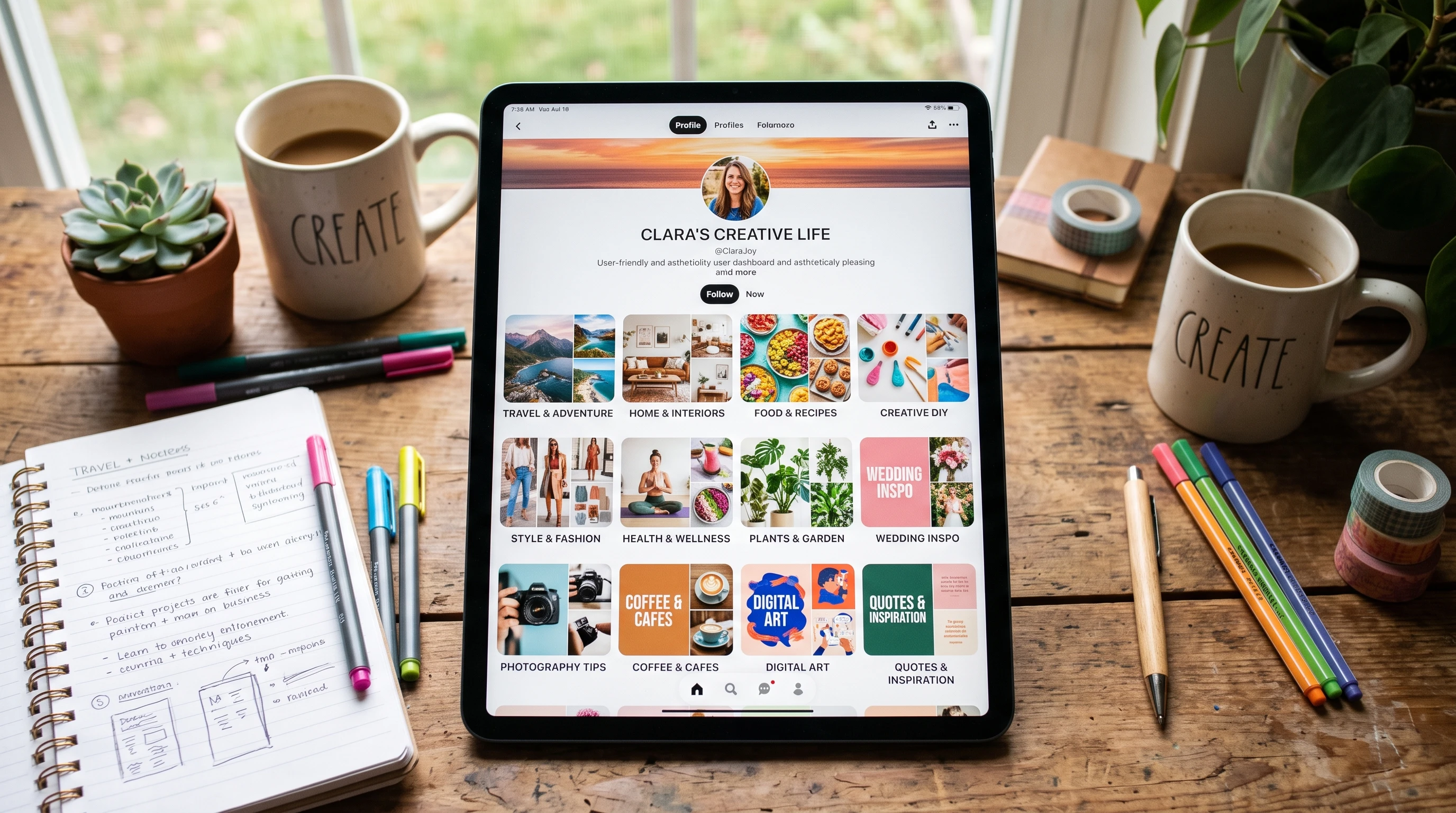
Your profile is often someone’s first impression when they stumble upon your pins, so making it clear and inviting is super important. Here are a few things I always pay attention to:
- Profile Picture: Use a photo or logo that’s easy to recognize, even at a small size. This helps with brand recognition and trust.
- Profile Name: Adding a descriptive keyword or two (such as “Gardening Tips by Sam” instead of just “Sam”) lets people know what you’re about right away.
- Bio: Keep your bio short, friendly, and packed with keywords that fit your niche. Let visitors know what they can expect from you or your brand.
- Claim Your Website: Verifying your site adds credibility and enables extra analytics, so you can see when people engage with your pins off-platform.
These foundational tweaks make your profile findable and trustworthy. Whenever I update mine, engagement always gets a boost over the next few weeks. Adding clear branding to banners or board covers is another move that helps create a strong, unified look from the start.
Organizing and Naming Boards for Maximum Impact
A tidy, wellorganized set of boards makes it easy for visitors to see what you offer and find topics they care about. I tend to set up my boards by interest, theme, or category related to what I’m sharing or selling. Here’s what works for me:
- Keyword-Rich Titles: Board names should be clear and searchable, like “Healthy Weeknight Dinners” instead of “Yum!” This makes your boards more likely to show up in Pinterest’s search results.
- Descriptions: Fill in the board description with relevant keywords but keep the language natural. Explain what the board is about and why it’s helpful.
- Order Boards Strategically: Place your best, broadest, or newest boards near the top of your profile. Boards that show off your main topic or services deserve a spot in the spotlight.
Custom board covers give your entire profile a polished, onbrand vibe, which visitors appreciate and often return to explore further. I rotate and update boards regularly to reflect trends and new content, keeping things fresh for repeat viewers.
Crafting Pins that Drive Engagement
The pins you save and create are the heart of Pinterest, and pin design or content has a direct impact on engagement. Here are some pin strategies I swear by:
- High-Quality Images: Clear, bright, wellcomposed visuals catch the eye instantly.
- Vertical Orientation: Images with a 2:3 aspect ratio (such as 1000 x 1500 pixels) generally perform best in feeds.
- Easy to Read Text Overlays: Adding a punchy headline on your pin graphic often helps explain value at a glance, especially if your topic is instructional or product based.
- Compelling Descriptions: Use natural, engaging language that includes keywords and a short call to action. I often ask a simple question or urge viewers to try, save, or visit a link.
Branding your pins with a small logo or watermark increases recognition and helps drive more engaged clicks back to your site. I test different graphics and text to see what my audience responds to best and stick with the styles that get results.
Pinning Strategies That Grow Your Reach
Posting regularly and pinning with intention helps your content reach more eyes and brings consistent growth. Some practical habits I follow:
- Pin Consistently: Pinterest tends to reward accounts that pin regularly, not just in bursts. I schedule pins throughout the week so I’m always showing up.
- Mix Content Types: Sharing a mix of your own content and valuable saves from others builds authority and provides followers with more inspiration.
- Join Group Boards: Team up on group boards to expand your content’s exposure and let you tap into new audiences. Just be sure the boards match your brand and aren’t too spammy.
- Watch Analytics: I keep an eye on my analytics to see which pins, boards, and topics drive the most engagement, and then double down on those areas.
I’ve picked up that pinning seasonally relevant or trending content often ramps up traffic fast. Tailoring pin schedules to different time zones or audience habits also keeps pins circulating when your audience is most active.
Common Pinterest Profile Pitfalls (And How to Dodge Them)
Plenty of Pinterest profiles stall out or lose engagement over time because of a few avoidable mistakes. Here’s what I look out for and how I keep engagement steady:
- Incomplete Profiles: Missing descriptions, lack of board organization, or lowquality profile pictures can quickly turn visitors away. I review my profile every few months for missing info and to make sure everything stays fresh.
- Irregular Pinning: Long gaps between pinning activity confuse the platform’s algorithm, and your audience. I use scheduling tools like Tailwind to maintain a steady posting rhythm.
- Overly Niche Boards: Boards that are too specific might not attract enough followers. I create a mix of broad and niche topics so there’s something for a wider range of interest.
- Ignoring Analytics: Not paying attention to what’s working makes optimization a guessing game. I make it a habit to check analytics and adjust my game plan when needed.
Profile Completeness
Every so often, I check and update my profile details, making sure everything still lines up with my current focus or business. Keeping things current really helps people see what I offer at a glance, letting them know exactly what they’ll get by following you.
Pin Quality Over Quantity
Pinning tons of loweffort images often does more harm than good. I focus on quality and relevance over numbers to keep engagement high and attract Pinterest’s algorithm for organic reach. Strong visuals and topics that matter to your community will go a lot further than spamming the feed.
Seasonal and Trend Awareness
Staying aware of trending topics or seasonal events related to your brand pays off. I prepare relevant content ahead of holidays, backtoschool season, or other big events to catch audience attention right when they’re searching most. Anticipate what’s coming and plan your boards accordingly; this simple move can boost your timing and grab more impressions.
Advanced Tips to Boost Pinterest Engagement
Once you’ve got the basics down, there are some nextlevel ideas that pay off when you’re ready to give engagement an extra push:
Rich Pins: Setting up Rich Pins adds realtime data like product info or recipe ingredients directly to your pins, making them more useful and clickworthy for users. This little upgrade can make your content stand out and encourage more actions.
Story Pins and Video Pins: Creating storystyle pins or videos is a good way to keep up with Pinterest’s evolving platform. Video especially can showcase tutorials, behindthescenes, or products in action, and pins with movement and voiceover can hook viewers who wouldn’t normally engage with images alone.
Team Up with Other Pinners: Teaming up with creators in your niche for group boards or collaborative campaigns brings fresh eyes to your profile and gives people more ways to get involved. Sharing ideas can help you reach new people fast.
Experiment With New Features: Whenever Pinterest rolls out something fresh, I get into it early. Trying new formats or features often gives your profile a small bump in the algorithm and attracts curious audiences who want fresh ideas.
Jumping on beta features or new rollouts can also position you as an early adopter—making your profile a go-to for people hunting for what’s new and eye-catching. Even small, creative tweaks can add some next-level cool to your pins and boards, showing your community you’re tuned in.
Frequently Asked Questions
Question: What’s the best profile name for Pinterest?
Answer: Choose a name that clearly states what you’re about. Adding niche-related keywords helps users find you and understand your focus at a glance.
Question: How often should I update my boards?
Answer: I update board titles, descriptions, and covers every few months or when I notice engagement drops. Keeping things refreshed always helps draw more attention.
Question: Do hashtags help on Pinterest?
Answer: Hashtags aren’t as important on Pinterest as they used to be, but adding a couple of keyword-based ones to descriptions can sometimes help with discoverability if they’re highly relevant. Prioritize natural keywords and phrases for best results.
Kick Off Your Pinterest Optimization
Focusing on these easy strategies helps any profile look more professional, show up in searches, and connect with the right people. Regular tweaks and paying attention to what’s working are the real key to driving engagement. I’m always experimenting and learning on Pinterest, so even small updates can bring bigger results. Whether you’re new to the platform or looking to level up, these steps are your starting place—and with some dedication, you’ll track down the growth you’re hoping for.